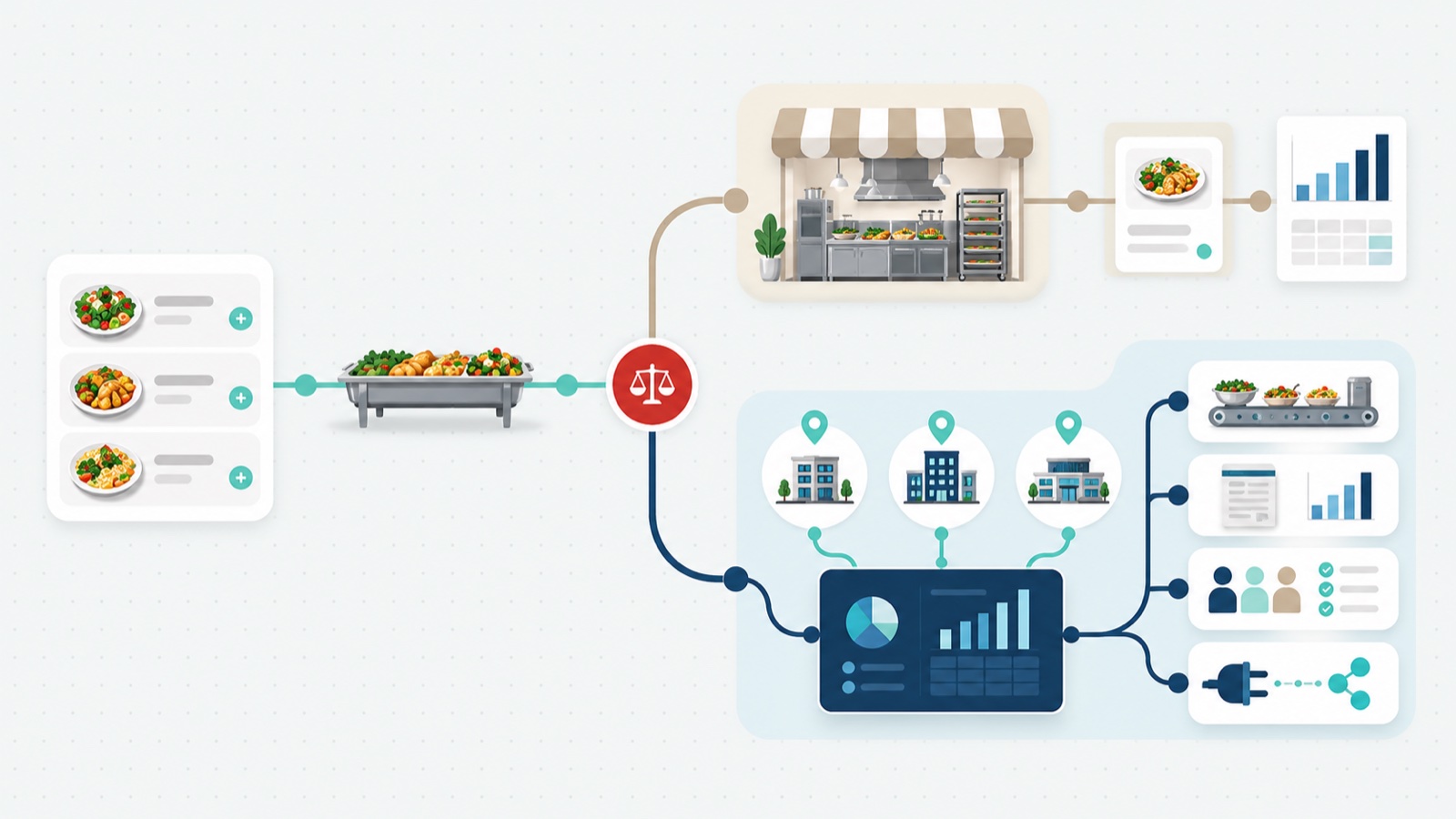

A catering management system for one site and a catering management system for forty are sold under the same label, and that label covers everything from a form on a website to a platform running thousands of locations. It makes most comparison content useless to the buyer who needs it most: the contract foodservice operator or multi-site caterer choosing catering management software that has to hold across dozens of sites, a finance department, and an IT review.
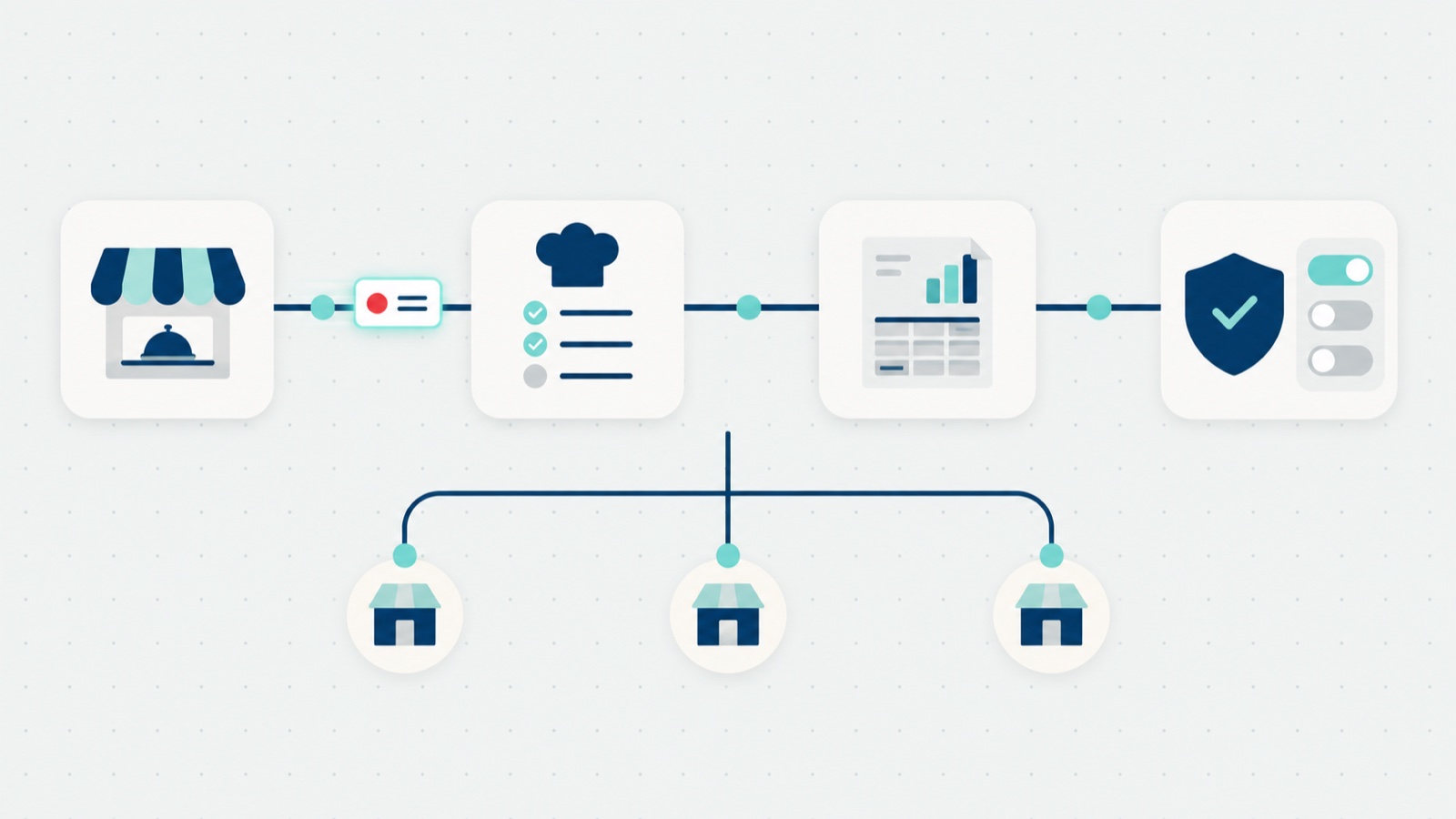
This post is the requirements picture for that buyer. It is organized around a simple frame: catering operations run on four jobs, each with its own people, its own process, and its own tools. A platform earns the word “enterprise” by doing all four, at group level, and the fastest way to evaluate any product is to score it against them. The frame comes from The Catering Operations Playbook, our free guide to catering operations, and this post applies it to the buying decision.
TL;DR
- The four jobs: how the order reaches you, how it reaches the kitchen, how it becomes money, and who sets the rules. Score any product against all four.
- Single-site tools break in a predictable order, starting with custom questions and payment routing.
- The security review asks the same questions every time; have the tokenization, PCI, access, and SSO answers ready.
- The commercial model is part of the architecture: per site, per seat, and commission are different businesses.
- Five tests to run in any evaluation, each one a thing the vendor has to show, not claim.
The four jobs
| The job | What it covers |
|---|---|
| How the order reaches you (order intake) | Every way a request can land, and what gets asked at the order |
| How the order reaches the kitchen (order fulfillment) | The production sheet, the packing list, the labels, and what happens when an order changes |
| How the order becomes money (order to cash) | Who builds the invoice, what from, and where it lands |
| Who sets ordering rules (rules and internal communication) | Cutoffs, minimums, who approves an exception, and how rules reach every site |
How the order reaches you
At enterprise scale, intake has one requirement above all others: the system has to be the single record for every catering order, whatever channel it arrived on. Orders come in through the menu, but they also come in by phone, by email, and through a sales team. A platform that only captures the web orders leaves the rest in inboxes, which means the reporting is wrong from the first day. The test is whether an operator can enter an order on behalf of a guest, in the same system, with the same fields.
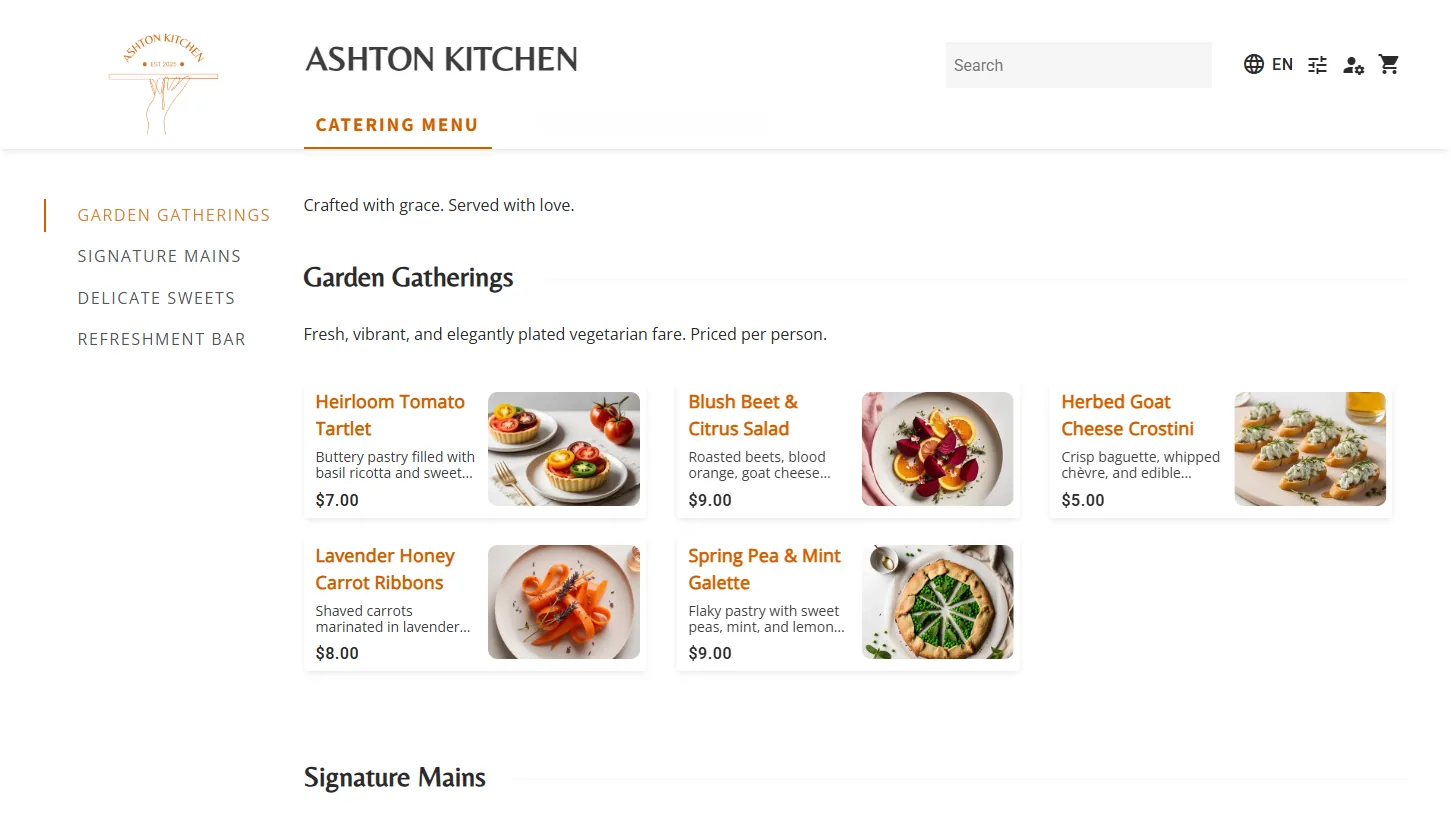
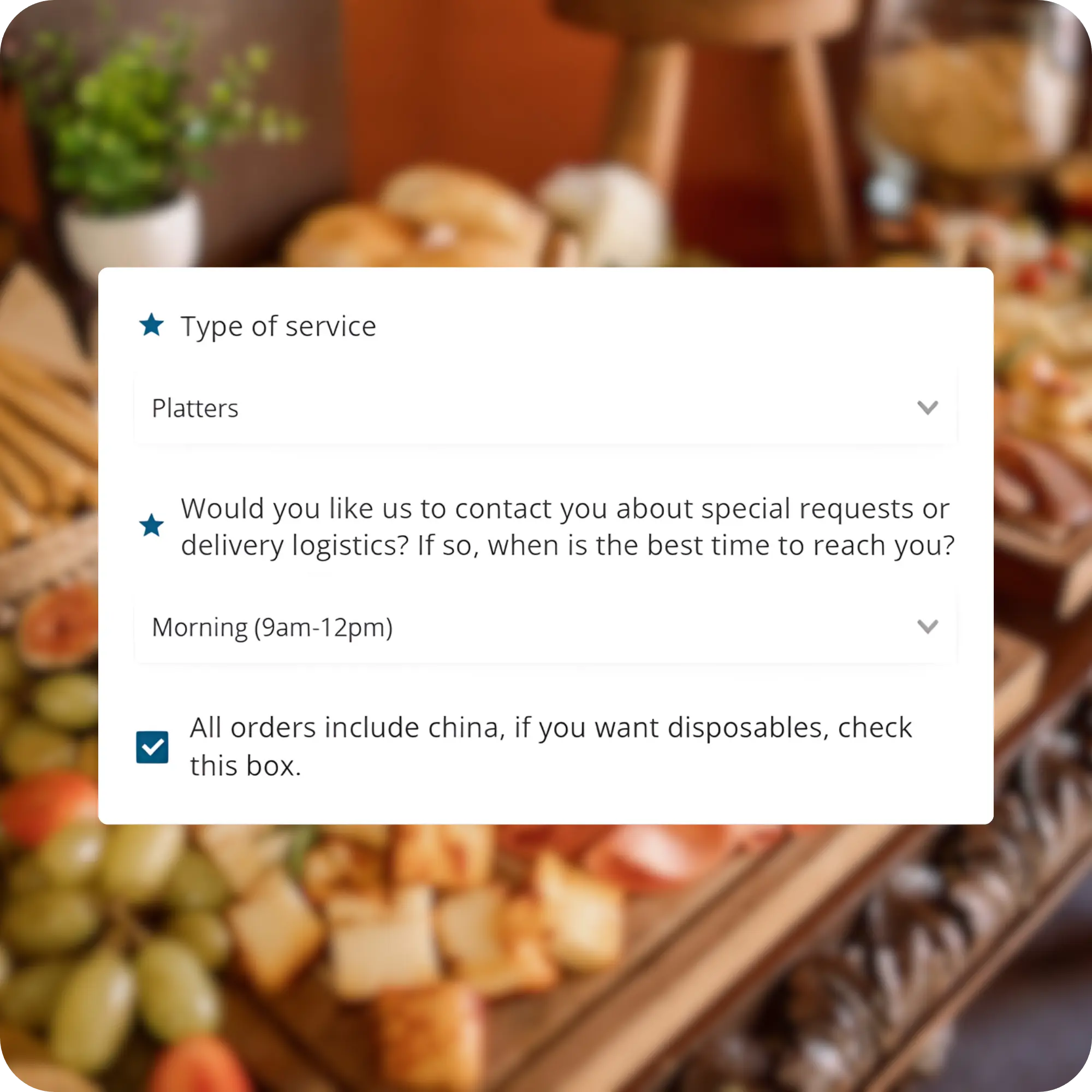
The self-serve side has its own requirements. The menu and its prices should be visible before anyone creates an account, because the menu is the selling surface: a sign-up wall in front of it makes prospective buyers leave silently. The specific questions catering always needs, delivery details, department, event context, belong in the checkout flow rather than in phone tag afterwards; expect support for a meaningful number of operator-defined questions (App8 supports up to 15) plus item-level and order-level notes that ride with the order. And because corporate catering is repeat business, a returning buyer should be able to refill a cart from a past receipt in one action; the published growth that reorder path produces is in how to increase catering sales.
How the order reaches the kitchen
The kitchen works from production sheets, packing lists, and labels. At one site, someone can compile those by hand. Across many kitchens on the same morning, the only version that holds is the one where every accepted order flows into those documents with nothing retyped.
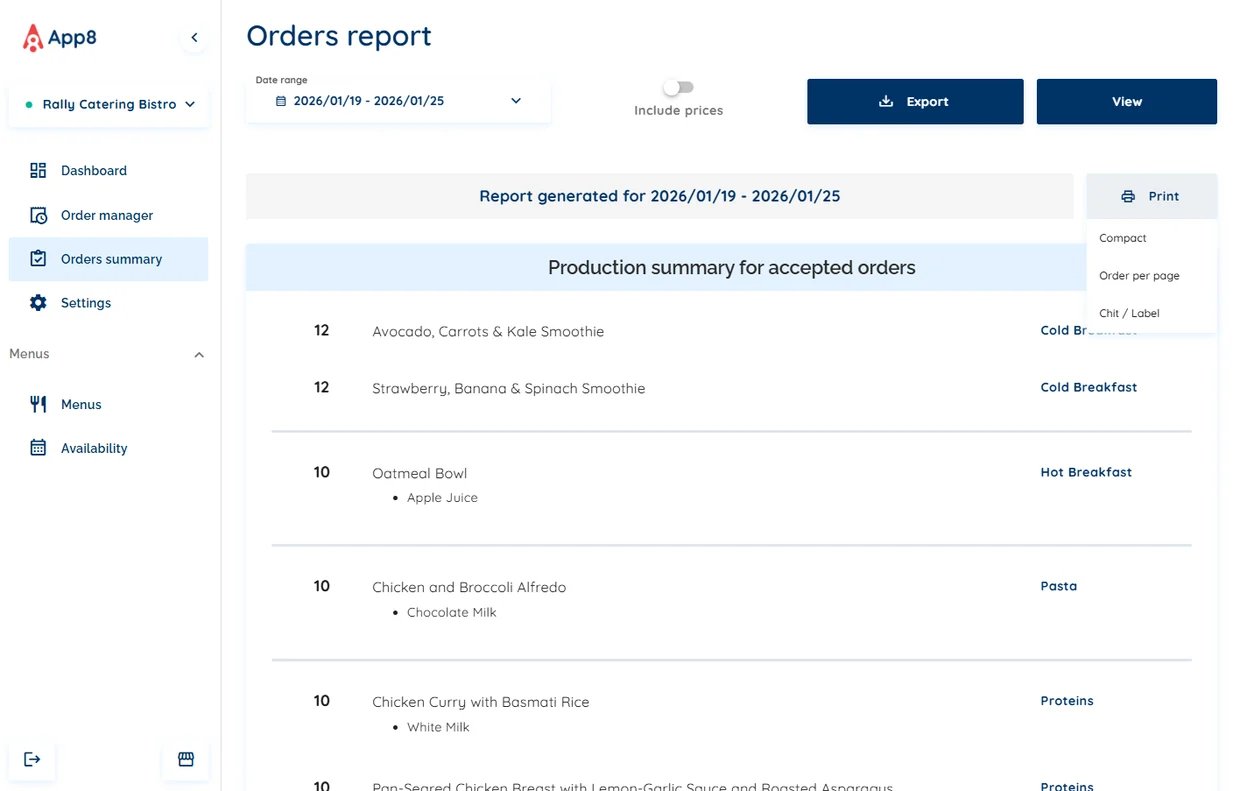
The harder requirement is change. Catering orders are placed in advance and they change, right up to delivery. A late headcount change has to reach the production sheet, the packing list, and the guest’s confirmation without a person re-entering it anywhere.
When an operator edits an accepted order, the updated details should go to the guest automatically; when a guest requests a change, it should arrive as a notification on the order, not as an email hunting for an owner. The test question for any vendor: what does the kitchen work from, and what happens to a change made after the order is placed?
How the order becomes money
This is the job that separates enterprise platforms from ordering tools, and it is the one finance will evaluate. We cover it end to end, from the reconciliation problem to the vendor checklist, in the catering accounting deep dive. Three requirements.
Invoice from the completed order, not the placed one. Money on a catering order is not earned until the order is fulfilled. A platform that collects final payment at placement creates refund friction every time an order changes late, and it puts the operator on the wrong side of revenue recognition. The invoice should generate when the order is marked complete, send without retyping, and chase itself with automatic reminders.
Receivables that land in your finance system. If catering invoices live only inside the catering tool, someone reports them into the ERP by hand every month. Enterprise-grade means the receivables post natively into the accounting system the operator already runs, JD Edwards among them, so month-end reconciles instead of being rebuilt.
Cost centers and PO numbers, validated at the order. A workplace catering program bills departments, not people. Cost center and PO fields need validation against the client’s real code structure, a prefix and character pattern or a custom expression, so an order carrying a code that does not match cannot be submitted. That removes a whole class of billing error at source rather than in reconciliation.
Who sets ordering rules
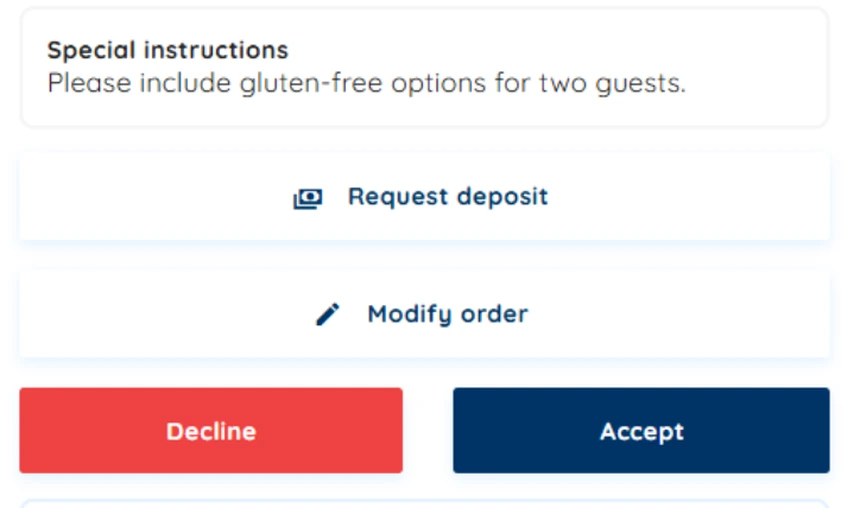
At one site, the rules live in the manager’s head. Across a group, lead times, daily cutoffs, minimum orders, blocked dates, and the change window have to be set once, centrally, and inherited by every site, while each site keeps its own hours, closed dates, delivery locations, and fees. The system should refuse an order that breaks a hard rule, so the cutoff stops being a conversation. And the approval flow should carry its own communication: the guest sees pending, the operator is notified, the acceptance emails itself, and exceptions land with a named owner, written on the order, where they can be counted.
Where single-site tools break
A professional corporate caterer can run on a basic ordering tool for a while, and plenty do. The breaks come in a fairly predictable order:
- Custom questions and payment routing. The moment intake needs more than a name, a date, and a headcount, and the moment different clients have to pay different ways, a simple order form stops holding it.
- Order to cash. As soon as you have to report on billing accurately and see aging on what is owed, a tool that only takes orders leaves the finance work manual.
- Invoicing and collection across sites. One site is a solved problem. Several sites, with invoices and collections tracked across all of them, is a different job.
- Menus across sites. At several sites, menu management needs a master menu, bulk actions, and whole-menu import and export, or somebody spends their week on it.
- Production at scale. Production sheets beyond what a single small kitchen can handle, where the sheet has to be right for several kitchens on the same morning.
The underlying difference is architectural. A tool built for one site treats the second site as a copy. An enterprise platform treats the group as the unit and the site as the variation.
What the security and IT review will ask
At this scale the platform decision gets a technology review, and the questions are consistent enough to prepare for. What CIOs and CTOs ask, nearly every time:
- Tokenization. Does card data sit on the account, or is it tokenized, and where does the card actually live? The answer to require: all card information tokenized, with the platform and its payment providers each certified PCI DSS Level 1. Level 1 is an annual certification rather than a one-time badge, so it forces the environment to stay current every year.
- Access tiers. Can site, corporate, and supervisor access be separated, and who can create users? For a multi-location client, corporate administrators should be able to manage access themselves.
- Contracting shape. Is this one agreement with the vendor, or a second one with the payment processor? A platform that integrates with the processors you already run lets your existing processor contract carry over; preferred processing partners are the other route. In practice this question decides how fast a review moves as often as the technical ones do.
- Embedding and identity. Can the ordering experience live inside an app you already run, and does it support single sign-on against your own identity provider, so access follows your directory?
Two adjacent requirements belong in the same review. Language: for Canadian operators with Quebec sites, English and French have to cover both the guest menu and the operator dashboard, as real translations rather than machine output, to meet Quebec’s requirements under Bill 96. And expect to run your own security assessment; a serious vendor supports the questionnaire rather than resisting it.
The commercial model is part of the architecture
A fixed fee per site, a per-seat price, and a commission on order value are different businesses, and the differences compound at scale. Per-seat pricing taxes the thing an enterprise program needs most, which is more people in the system. Commission taxes the thing the program is built to grow, which is order volume, and it makes your best month your most expensive one.
Know which model you are buying before the evaluation starts. App8’s position, for reference: a fixed annual fee per site, users and roles not priced per seat, and no commission on order value.
Five tests for any catering management system evaluation
Score the four jobs at one representative site, then rank them with the question that finds the real constraint: if you had ten times the volume tomorrow, what breaks first? That row is priority one. Then run five tests on every product in the evaluation:
- Does the group set the standard, or does each site? Ask to see rules set once centrally and inherited by a new site before its first order.
- Does the order survive the trip to the kitchen? Ask what the kitchen works from and what happens to a change made after the order is placed.
- Where does the money land? Ask whether catering receivables post into your finance system without anyone retyping, and what happens to an unmatched one.
- What does a new site cost to open? Ask how a site is set up from an existing one, and what has to be rebuilt by hand.
- What is the commercial model? A fixed fee per site and a commission on order value are different businesses. Know which you are buying.
The field you are choosing from
The most common competitor in an enterprise catering decision is not a named product. It is the operator’s own national standard, because large multi-unit caterers standardize (how that industry actually works is in our contract foodservice explainer) and a single site changing platforms is a policy question before it is a product one. After that come in-house and adjacent tools, spreadsheets and a POS pressed into catering, which win on already being there and lose when multi-site reporting or clean receivables is required.
The named products, CaterTrax, Spoonfed, Caterease, FoodStorm, CaterZen, and Nutrislice on the K-12 side (that side of the category, school meal ordering, is its own post), are stronger the closer the buyer is to a single site or an events business. Marketplaces like ezCater are a different model entirely: demand arrives from someone else’s pool, on someone else’s economics.
The same field, as a fit comparison rather than a ranking. No score is honest across categories this different, so match the row to your operation:
| Option | Built around | Strongest when | The trade-off at multi-site B&I scale |
|---|---|---|---|
| Your operator’s national standard | Whatever was standardized | The group has already decided | Changing it is policy work before product work |
| Spreadsheets, POS, in-house tools | Already being there | Nothing is hurting yet | Break at multi-site reporting and clean receivables |
| CaterTrax | Contract foodservice back office, built by caterers | The back office fits how your team already works | Operators report vendor-routed changes and hard reporting |
| Caterease, Total Party Planner | Banquets, events, bespoke bookings | Floor plans, tastings, one-off menus | Not built for high-frequency corporate ordering |
| Spoonfed, CaterZen, FoodStorm | A single site or small operation | One kitchen, one book of clients | The second site is treated as a copy |
| Nutrislice | K-12 menus, signage, labels | School foodservice programs | A different evaluation than workplace catering |
| ezCater | A marketplace’s demand pool | You want orders brought to you | A channel on its economics, not software you run |
| App8 Rally Catering | Multi-site B&I catering, order to ERP | Standardization and receivables decide the deal | No independent tier; not for social events |
For the incumbent most operators in this market actually run, we have written a full and deliberately honest comparison: CaterTrax alternatives for contract foodservice operators. And for the category-level view, where the point of sale, the ERP, and an ordering platform each begin and end, see the food service management software buyer’s guide.
Where App8 sits in that field: Rally Catering is strongest in corporate catering, specifically where the decision turns on multi-site standardization and on catering receivables reconciling into the finance system the operator already runs. Where it does not belong: weddings and social events, floor plans and seating charts, and any flow where a salesperson builds a bespoke menu and runs a tasting for every booking. Events-first products win that work, and we say so.
One more thing decides enterprise deals more often than a feature list does, and it is harder to evaluate from a demo: the team that shows up for integration. App8 puts a dedicated enablement team in the room, technical people who bring what they have seen work elsewhere rather than only building what was asked for, and who build the connector your environment needs, across payments, ERP and receivables, identity and single sign-on, data and reporting, POS, and inventory and recipe management. How that works is set out on the approach page.
The evaluation ends at implementation
One requirement sits outside the four jobs and decides whether any of them materialize: how the platform gets deployed. At enterprise scale a catering platform is not installed, it is rolled out, usually in waves across sites over a period of time. What to require from a vendor here:
- A tailored implementation plan, fitted to your systems and your rollout sequence, not a generic onboarding checklist. Ask who builds it and who owns it.
- Recommendations, not just configuration. A vendor that has deployed many programs should arrive with a view on your lead times, minimums, and approval rules based on your customer journey, and be able to defend it.
- Software your operators do not need training to use. Training should be included and rarely needed; if a modern operator dashboard requires a course, that is a finding about the product.
How App8 runs this is on the approach page. Whatever platform you choose, put the implementation plan in the contract conversation, because the operators who regret platform decisions usually regret the rollout, not the feature list.
Start with the four jobs
The buying decision gets easier once you know which job is your constraint. Three places to start. The Catering Operations Playbook covers all four jobs in full, with a worksheet for ranking what to fix first; it is free, with no sign-up.
The catering scorecard is the quick front door: ten questions, a stage, and a recap you can hand to finance and IT. And if the constraint is intake, five signs your catering intake has hit its ceiling shows what the ceiling looks like on the floor.
Frequently asked questions
What is a catering management system?
A catering management system is software that runs a catering operation end to end: order intake across every channel, production sheets and packing lists for the kitchen, invoicing and receivables, and the ordering rules like lead times, cutoffs, and minimums. At enterprise scale it also has to hold those four jobs across many sites at once, with rules set centrally and inherited by every site, and with catering receivables posting into the accounting system the operator already runs.
What is the difference between catering software for one site and an enterprise platform?
A tool built for one site treats the second site as a copy. An enterprise platform treats the group as the unit and the site as the variation: rules are set once centrally and inherited, menus are managed with a master menu, bulk actions, and whole-menu import and export, and invoices and collections are tracked across every site rather than one at a time.
How should a catering management system handle invoicing?
The invoice should generate when the order is marked complete, not when it is placed, because money on a catering order is not earned until the order is fulfilled and late changes are normal in catering. It should send without retyping, chase itself with automatic reminders, and post receivables natively into the operator's own ERP, JD Edwards among them, so month-end reconciles instead of being rebuilt by hand.
What security questions should IT ask a catering software vendor?
The questions that come up in nearly every enterprise review: whether card data is tokenized and where the card actually lives, whether the platform and its payment providers are each certified PCI DSS Level 1, whether site, corporate, and supervisor access can be separated and who can create users, whether the contract is one agreement with the vendor or a second one with the payment processor, and whether the ordering experience can live inside an existing app with single sign-on against the operator's own identity provider.
What does an enterprise catering management system cost?
The commercial models differ more than the feature lists do. A fixed fee per site, a per-seat price, and a commission on order value are different businesses: per-seat pricing taxes adding the people an enterprise program needs, and commission taxes the order volume the program is built to grow. App8 publishes its model as a fixed annual fee per site, with users and roles not priced per seat and no commission on order value. CaterTrax, for comparison, does not publish pricing.
What belongs in the technology section of a catering RFP?
Five tests, each phrased as something the vendor has to show rather than claim: rules set once centrally and inherited by a new site before its first order, what the kitchen works from and what happens to a change made after the order is placed, whether catering receivables post into your finance system without anyone retyping, how a new site is set up from an existing one, and which commercial model you are buying. App8 publishes a fifteen-point RFP technology checklist that covers the full section.