
A school lunch ordering system looks, from the outside, like a small online store: a menu, a cart, a checkout. That is the part the family sees. The part that decides whether the program works is everything behind it: rotational menus and cutoffs per school, subsidies the operator configures, allergen flags that actually reach the kitchen, production sheets, and reporting a school board will accept. This post walks through how a K-12 meal program runs on ordering software, using App8’s Rally Schools as the working example, then maps the rest of the field so you can tell which kind of product fits which kind of program. It is written for the operator who runs meals across many schools, whether that is a contract foodservice company hired by a board or a board running its own program.
TL;DR
- How a school week runs: the operator sets up menus and cutoffs per school, families order ahead from a calendar, the kitchen prepares from known orders, and the operator reports on every school from one place.
- Subsidies: three operator-configured models, every order recorded as subsidized or paid, and the subsidy report as an export instead of a hand reconciliation.
- One school’s results: Sachi’s at École Maurice Lapointe doubled meal sales since 2021 after moving ordering online. A single-school result, with its mechanism.
- The field: district nutrition systems, menu and ordering platforms, and parent-council hot lunch tools do different jobs. Each described from its own pages, with where each is the better fit.
- Board review: student data, parent accounts, French, payments, and the five questions worth asking before the demo.
How school meal ordering actually works, week by week
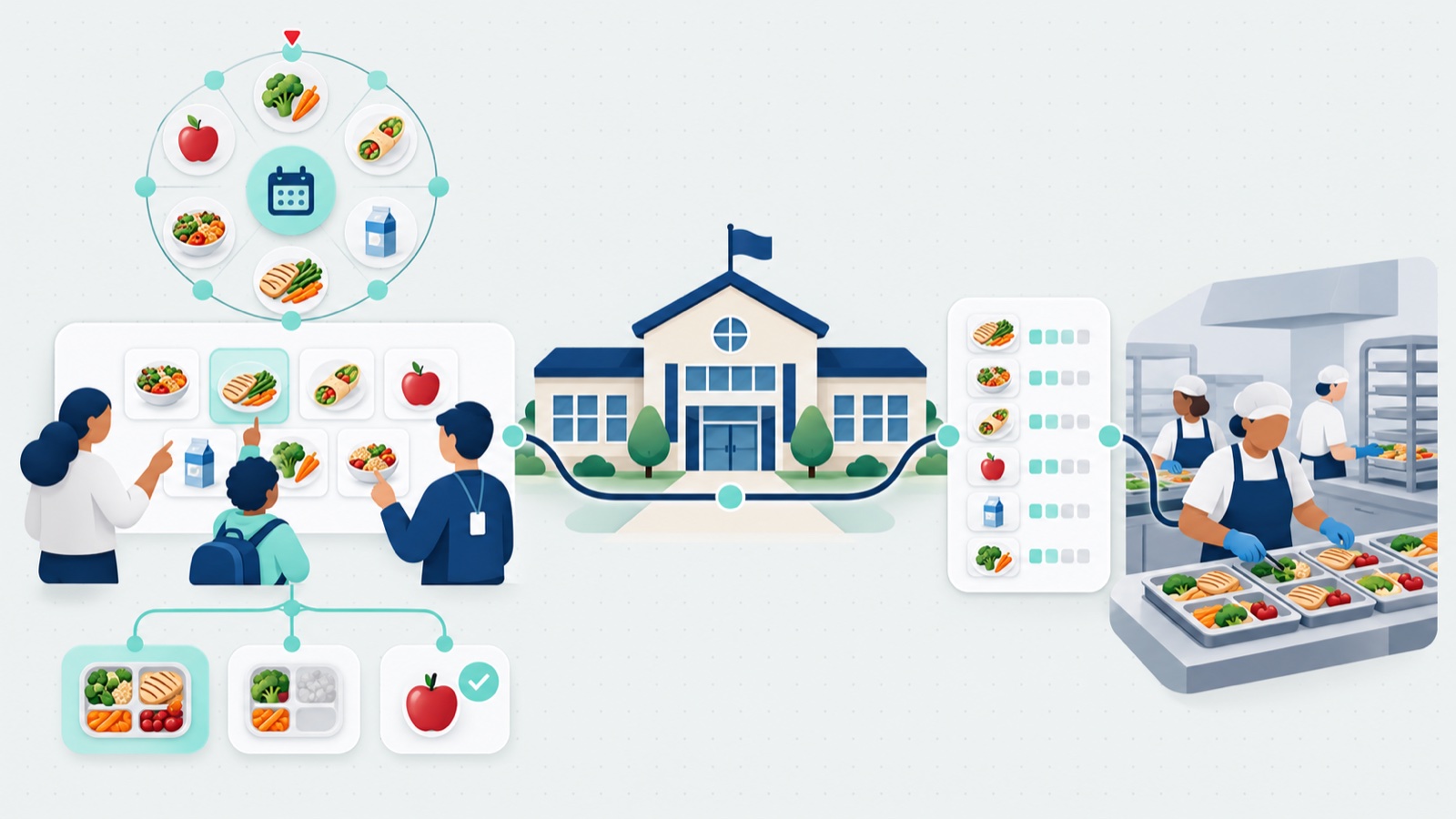
The shape of the program: parents and students place the orders in a parent portal, against the menus and cutoffs the operator sets up and the subsidies the operator configures. The operator’s side runs the program. A parent saves a profile for each child, with the child’s name, class, grade and teacher, and can add one during checkout, so one parent account covers all of their children.
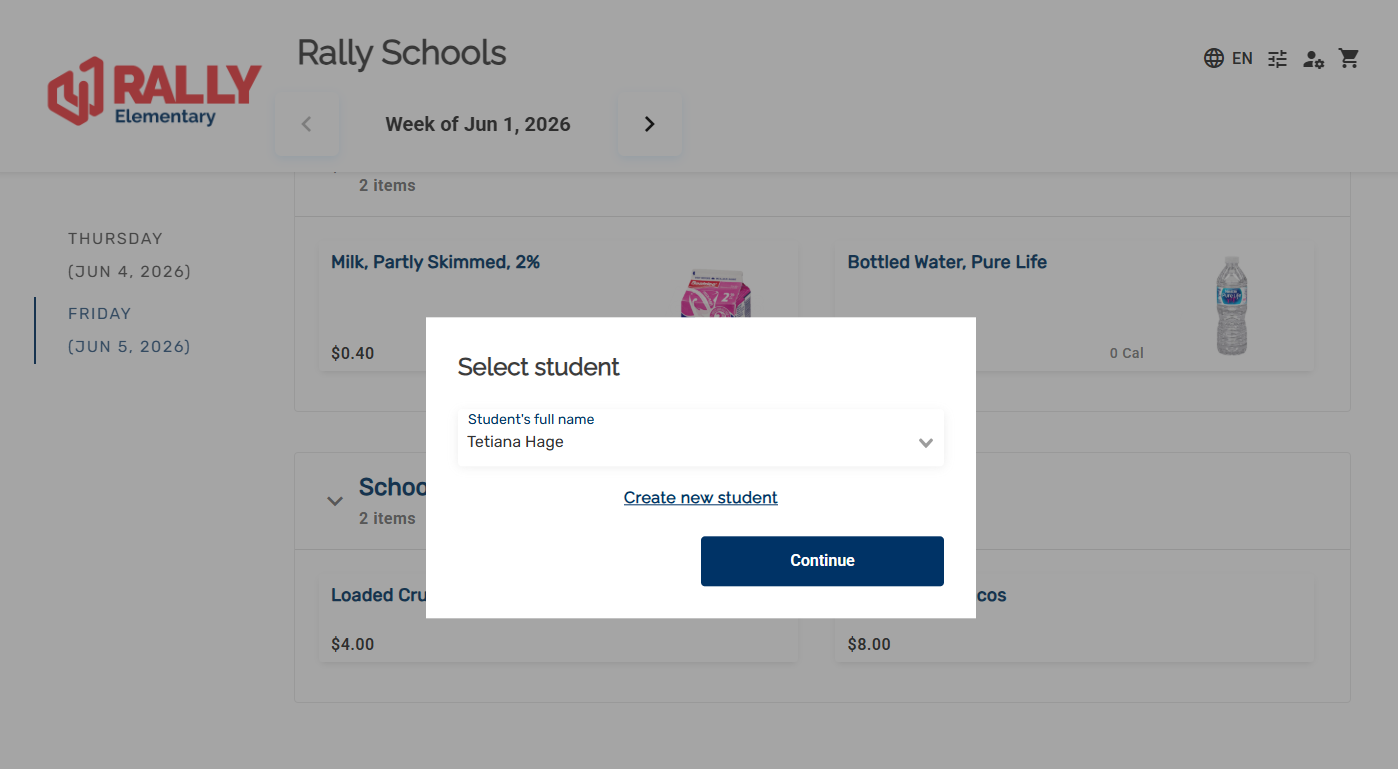
A week runs in six steps.
1. The operator sets up each school. It loads the rotational menus, marks which days are open and which are closed, and sets the cutoffs, lead times and order windows for that school. Bulk actions apply changes across menus and availability, so a program with many schools doesn’t edit them one at a time. The operator also sets how far ahead families can order. App8’s view: when the menu is planned for a whole term, opening the whole term means a parent orders once instead of every week.
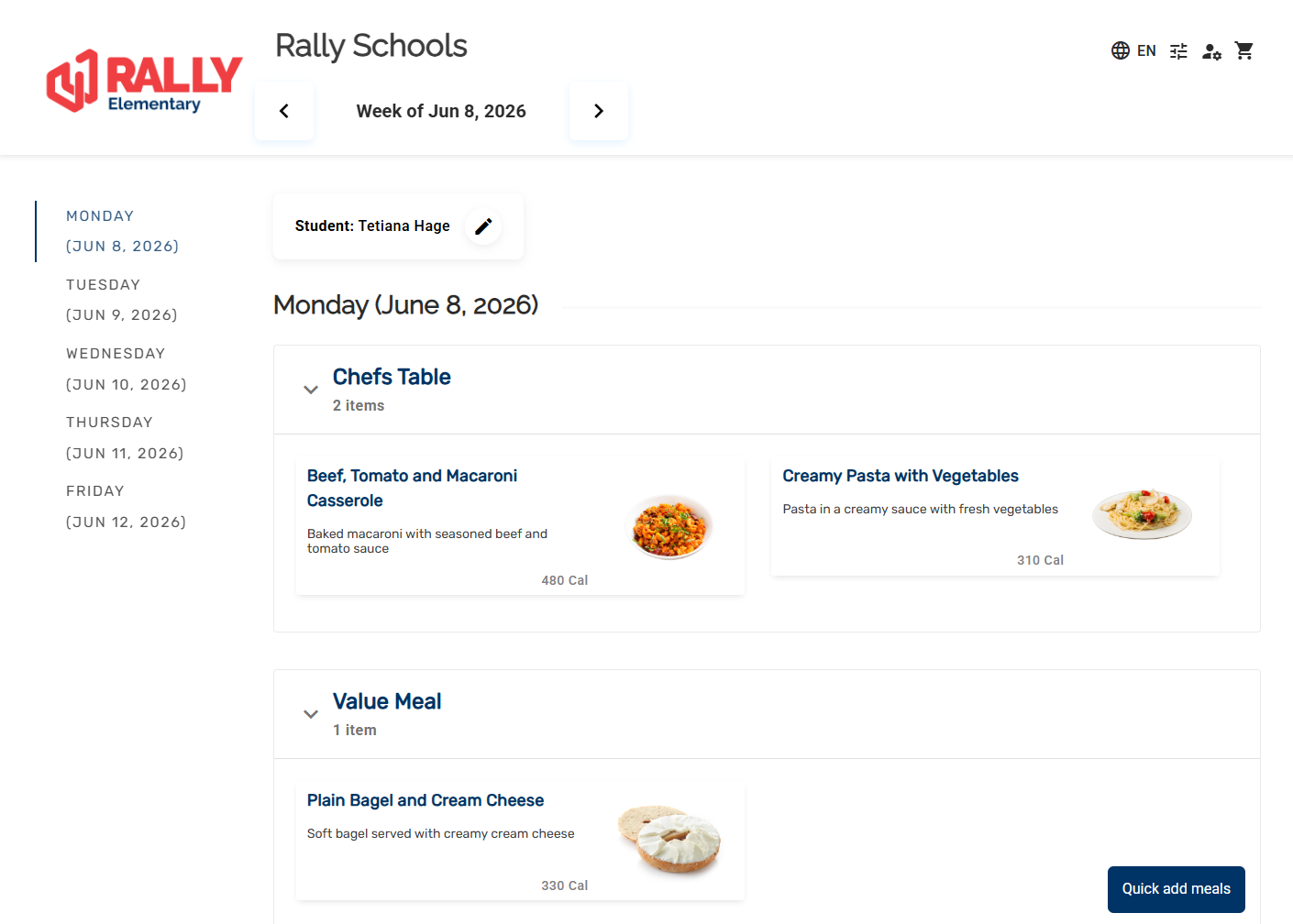
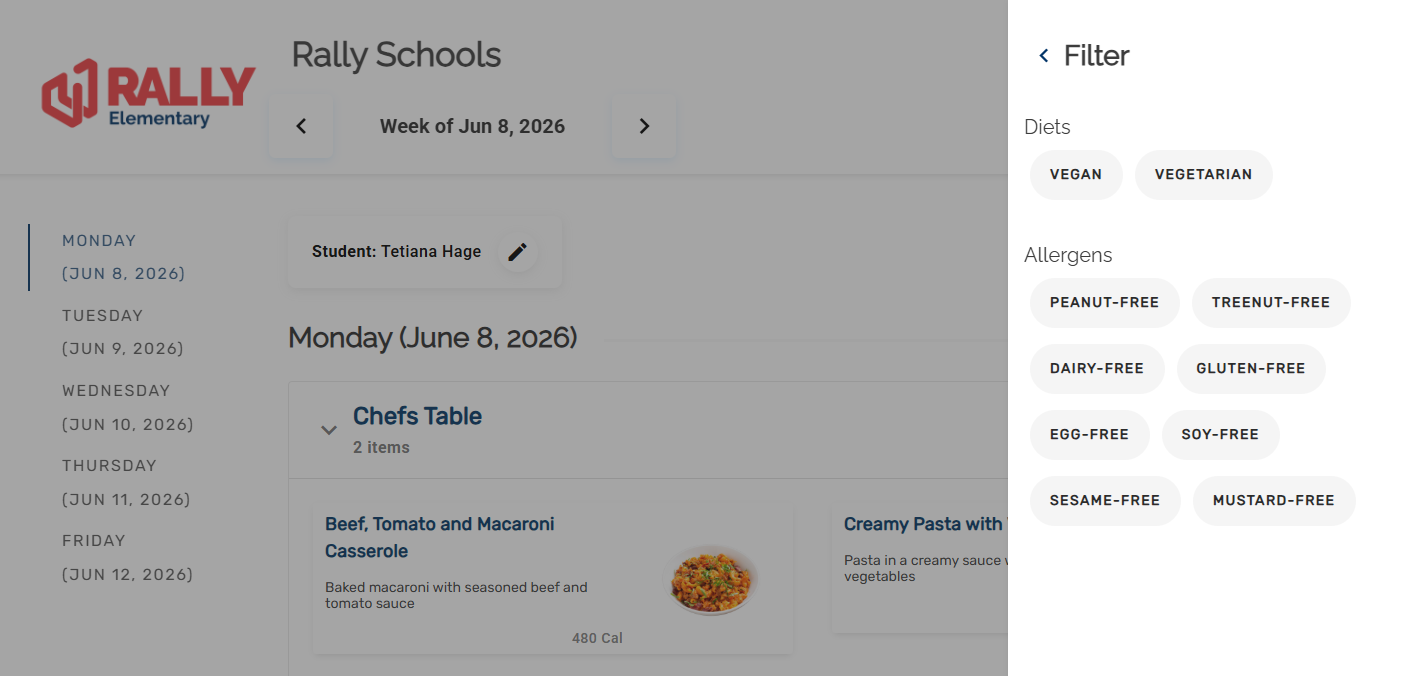
2. Families order ahead. A parent picks the student, sees the week’s menu by day, and orders from a calendar view. They can filter the menu for allergens and diets, such as peanut-free, gluten-free, vegan or vegetarian. The menu layout fits the size of the menu; a school with a large daily menu can use a layout with collapsible sections.
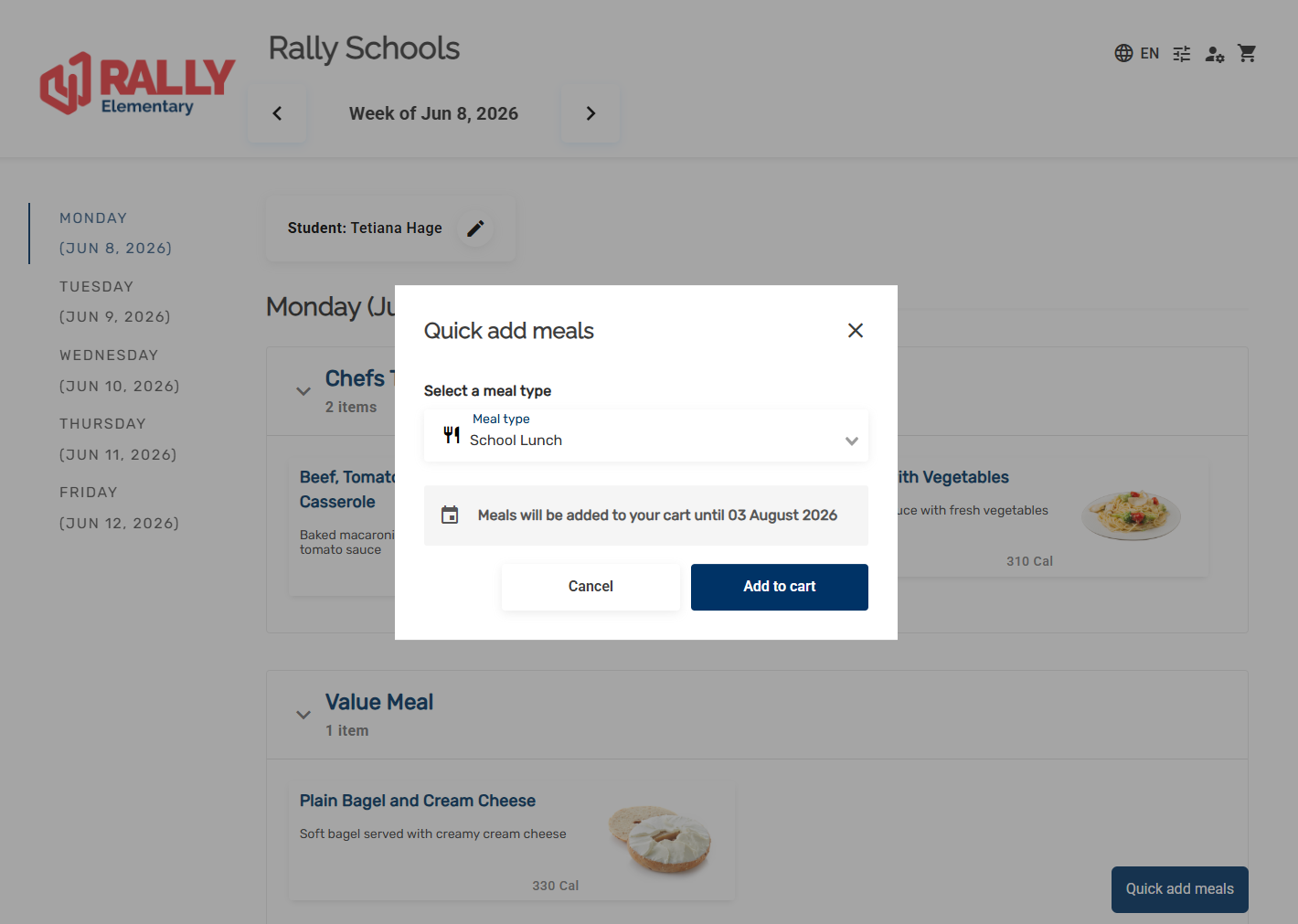
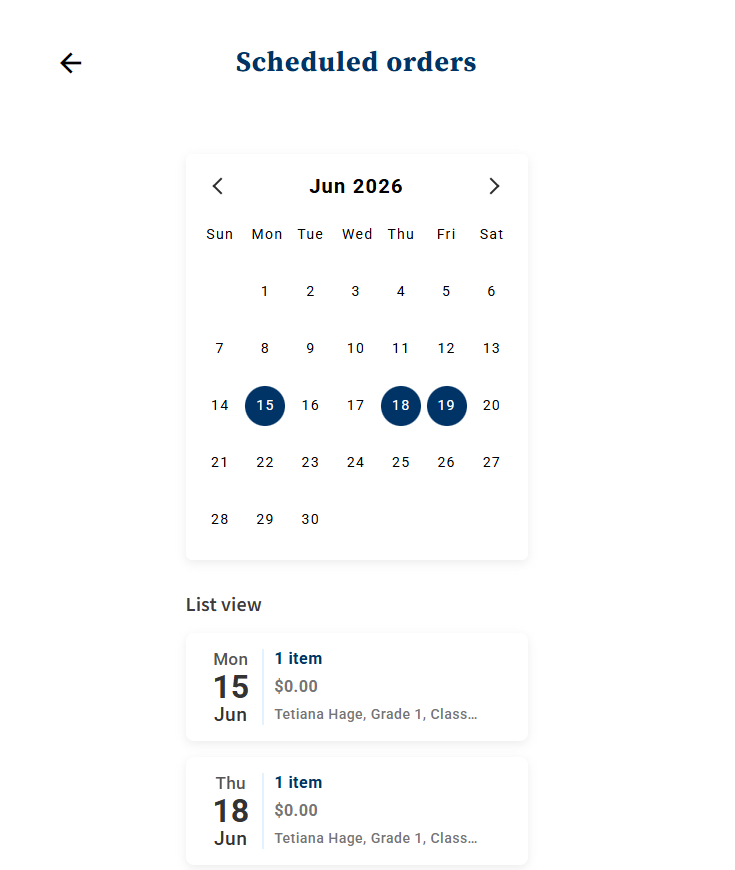
A parent can also add the same meal type across many days at once. The Quick add meals screen adds one meal type, such as vegetarian, across every day they can order, in a couple of clicks, and the scheduled orders sit on a calendar the parent can check later.
3. The cutoff passes. The cutoff is the last moment to order or change a day’s meals, so the kitchen knows what to make. Each school’s cutoff is the operator’s choice; there is no universal right answer, which is why it is a setting and not a policy.
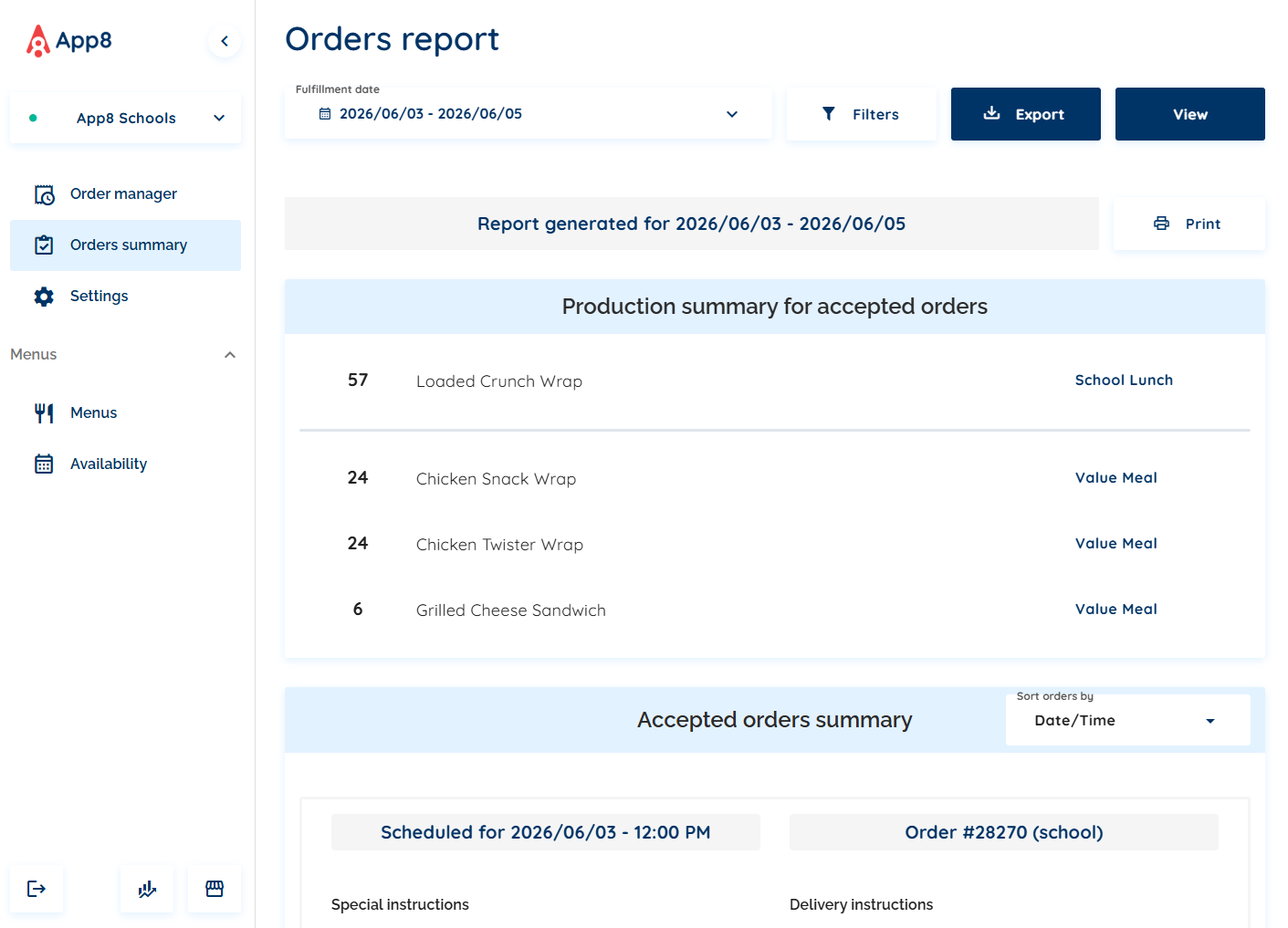
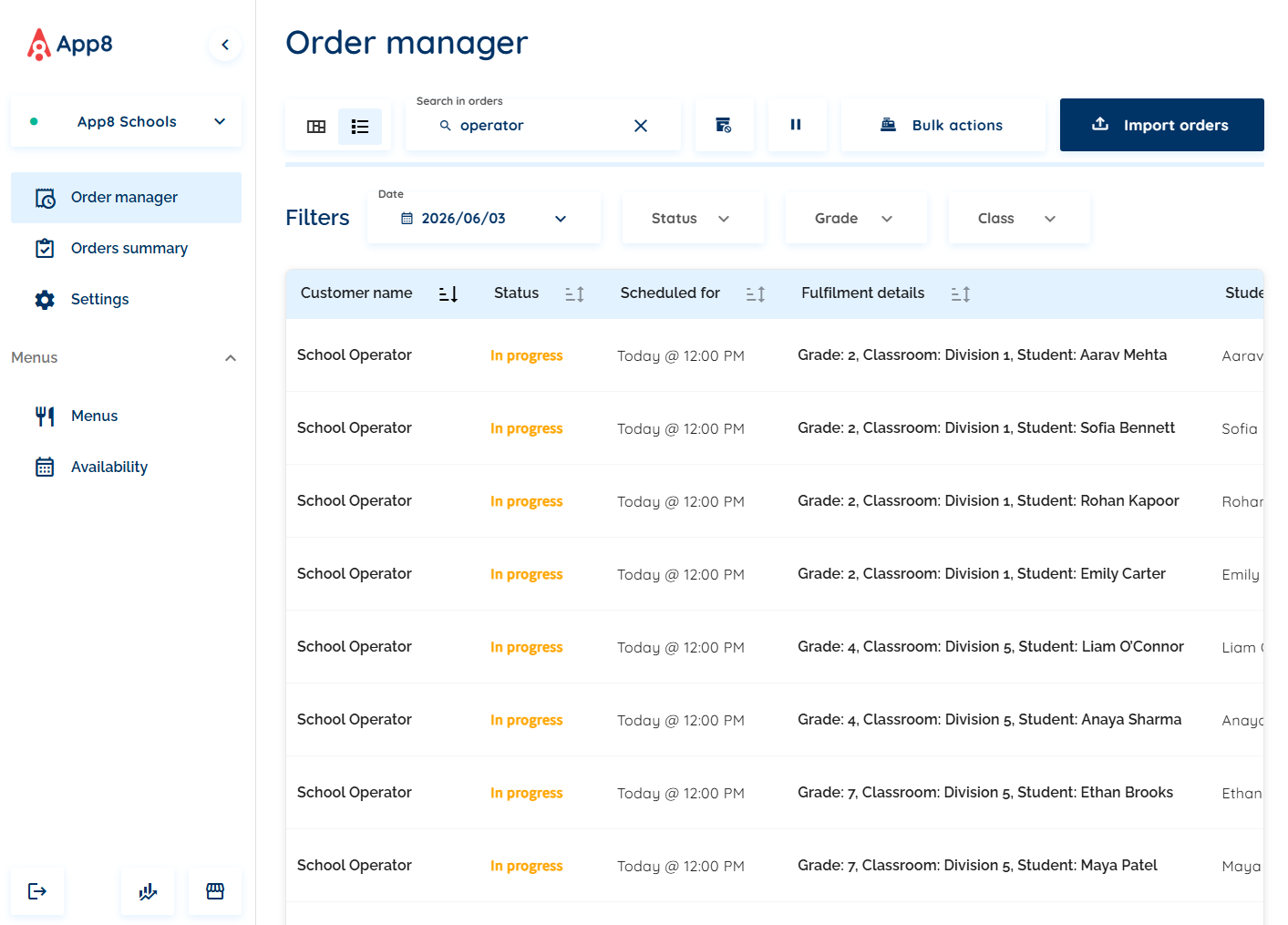
4. The kitchen prepares. The operator prints or exports the order and production reports. The production summary shows how many of each item to make, and the orders are listed by student, class and teacher. Orders can also print one per page, as a chit or student label, on a connected thermal printer, which is how a tray ends up with the right student’s name on it.
5. The orders are delivered and closed. The operator can complete or cancel a day’s orders in bulk. Receipts and confirmations go to families automatically.
6. The operator reports. Orders, revenue and subsidy by school and date range, printable and exportable for accounting, operations and the school board. Tax treatment and accounting categories are set per item and per option, so a drink option can be taxed differently from the meal it comes with, which is the kind of detail that decides whether finance accepts the export or rebuilds it by hand. That finance handoff is its own discipline; catering accounting software covers it for the catering side of the same problem.
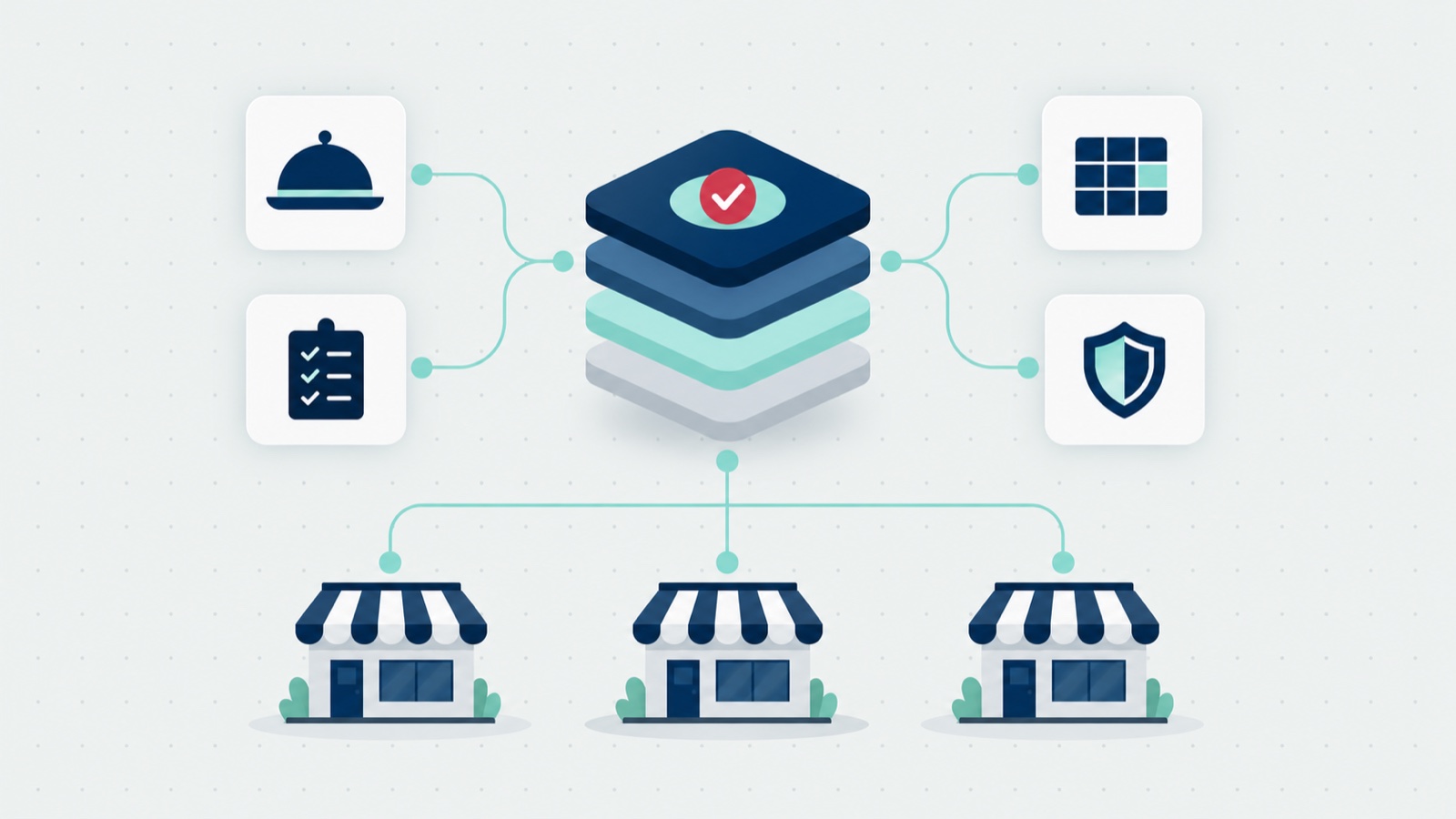
Many schools from one kitchen. One operator account can run many schools, each with its own teachers, classes and grades. That supports a commissary kitchen that cooks for several schools, as well as a kitchen in each school.
Why the week-by-week shape matters. App8’s view: a school program is every family in every school ordering weeks or months ahead, and the kitchen has to sort all of it by day, school and student. In a program that isn’t digital, orders can arrive by email or PDF form and someone compiles them into a spreadsheet by hand, which risks errors at every handoff. The same failure mode shows up anywhere ordering runs on forms and inboxes; it is the intake ceiling, wearing a school uniform.
Subsidies: the part school lunch software has to get right
Subsidies are where school meal ordering stops being a store and becomes a program. The funder, such as a government program, sets the subsidy. The operator configures how it applies in Rally Schools: which schools, families or items, and by how much. App8 doesn’t decide who is eligible and doesn’t manage government reimbursement; its product page says so in its own words: “App8 does not determine eligibility or manage federal reimbursement.”
Rally Schools runs three subsidy models: full subsidy by default with a parent opt-out to pay, a sliding scale that starts fully subsidized, or item-level subsidized pricing the operator configures. Every order reports as subsidized versus paid.
- Full subsidy with opt-out. Meals are covered by default, and a family that wants to pay can opt out. The parent’s cart has an “Apply subsidies to this order” switch.
- Sliding scale, “pay what you can”. It starts fully subsidized, and the family can choose to pay any amount from zero up to the full price. The operator can apply it to meal items only, so other items are priced as usual.
- Subsidized items. The operator configures a fixed subsidized price for chosen items, or a discount.
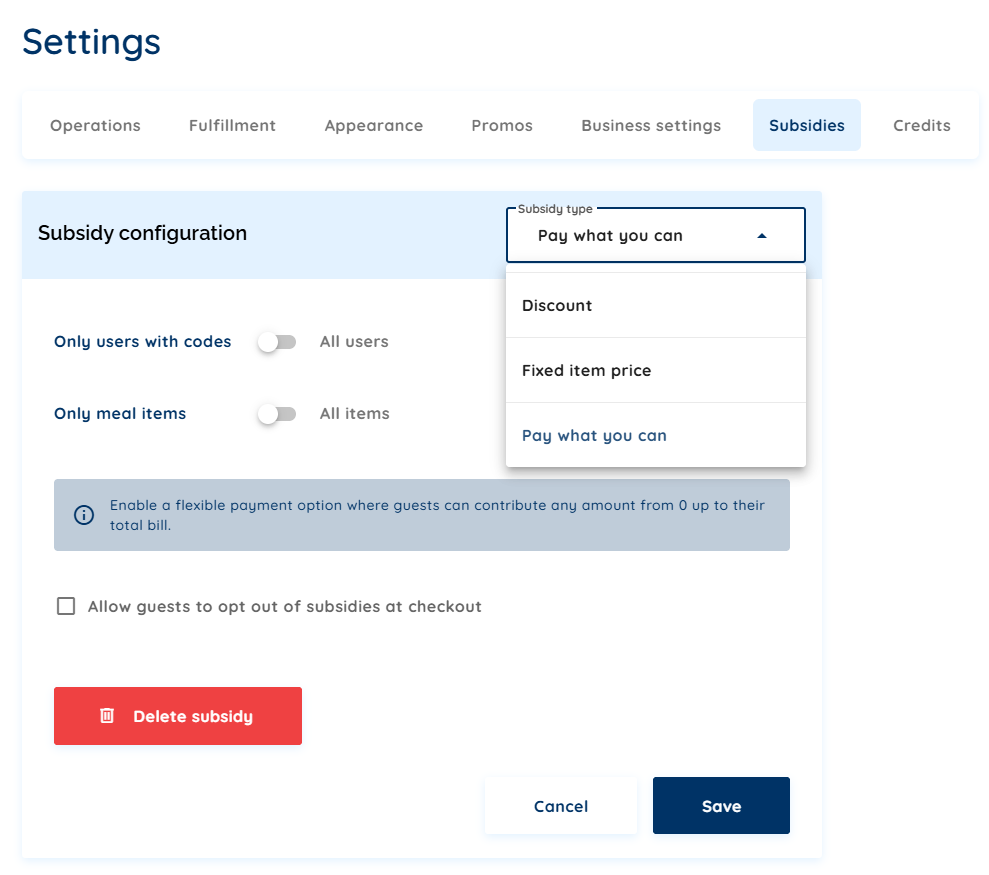
The operator applies a subsidy to every family, or only to families with a subsidy code, which the parent enters at checkout, and can cap the subsidized meals per account per day. On the family side, the subsidy is a switch in the cart, not a separate process.
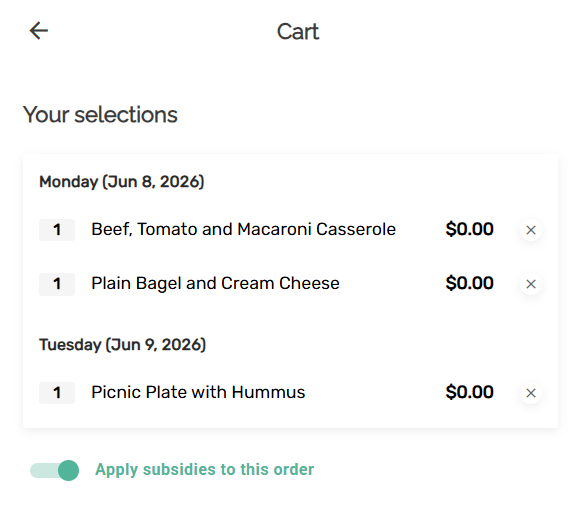
Then there is the reporting. App8’s view: this is where digital ordering saves the most work. With paper or emailed forms, someone compiles orders and reconciles the subsidy by hand. When every order is recorded as subsidized or paid, the subsidy report is an export, and the operator hands it to whoever needs it, finance, the board, or the funder’s process.
What happened when one school moved ordering online
Sachi’s runs the cafeteria at École Maurice Lapointe. Sachi’s is a franchise that serves more than 10,000 students a day across the National Capital Region (Ottawa and Gatineau). From App8’s case study page: lunch ran on manual ordering, which capped how much the kitchen could sell and how easily parents could take part. An earlier version of the published case study adds the before and after: before, orders came on paper forms, paid in cash and by check; after, orders came online, with order summary reports for accounting and operations.
The results, as the page gives them:
| Figure | What it measures |
|---|---|
| 2x | Meal sales, since 2021 |
| +100% | Hot-meal orders |
| +125% | Revenue per pizza slice, on the Wednesday pizza program |
These are one school’s results. The page says: “This is a single-school result in K-12 foodservice.” The mechanism, as the page gives it in one line: parents and students order ahead from a school menu, with the weekly pizza day as the anchor, so the kitchen prepares to known demand. The page doesn’t say why revenue per slice rose 125%, so neither will we.
The operator’s words, from the case study page:
“App8 offered online ordering, which helped boost my business, doubling sales. It was particularly beneficial with the pizza program.”
Manuwel El Murr, Operator, Sachi’s
School cafeteria software: the field in 2026
“School cafeteria software” covers at least three different jobs, and the fastest way to a bad purchase is comparing products that do different ones. Here is the field, with each company described from its own pages, read 15 Oct 2026.
| Kind of product | Examples | What their own pages say |
|---|---|---|
| District nutrition systems | LINQ Nutrition; PrimeroEdge, with SchoolCafé as its app for parents | LINQ lists point of service, application processing and eligibility (“Efficiently manage meal applications and eligibility”), a pre-order system and LINQ Connect, where families “pay for meals and fees, check menus, and submit meal applications”. PrimeroEdge is “for school districts and state agencies”, with point of sale, eligibility, and applications and claims |
| Menus, labels and ordering for foodservice | Nutrislice | ”Digital menus, signage, food labels, and ordering”. Its ordering page lists multi-day pre-ordering, pickup windows and throttling orders at peak times, and K-12 among the markets it serves |
| Hot lunch and parent-council ordering | Munch-a-Lunch, Healthy Hunger, Hot Lunches, Lunchbox by KEV Group | Munch-a-Lunch: “an Online Ordering System for school lunches & fundraising”, serving 1,075+ schools across 8 provinces, as its page states. Healthy Hunger: “The school lunch program that runs itself”, with orders going to local restaurants. Hot Lunches: an online system built for school councils. Lunchbox: parents can “order lunch, track payments, and stay informed”, and “access order history anytime” |
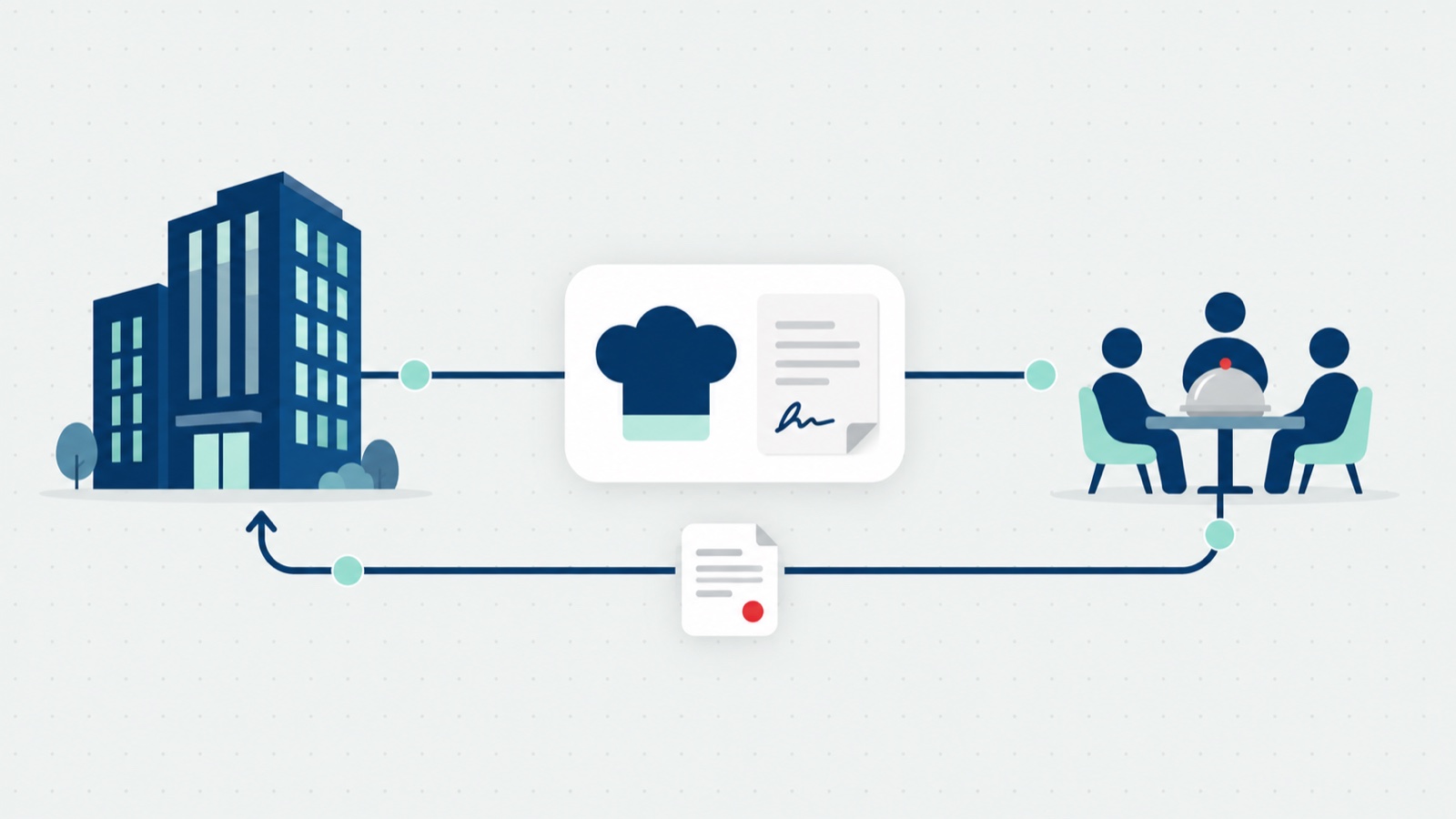
Where Rally Schools fits. App8’s view: an operator running paid and subsidized school meals across many schools. That operator needs rotational menus and cutoffs per school, subsidies it configures, allergen flags that reach the kitchen, reporting by school for the board and its own finance team, and French where the program needs it. Many such operators cook in a commissary kitchen for several schools. Many school programs are contracted out to foodservice companies; Aramark and Sodexo are examples of contract foodservice companies, and how those contracts work is its own subject.
Where another product is the better fit:
- A district that needs meal applications, eligibility and claims in one system. LINQ and PrimeroEdge describe those on their own pages. Rally Schools doesn’t decide eligibility or manage reimbursement, so a district needing that should look at them.
- A parent council running a hot lunch fundraiser with local restaurants. Munch-a-Lunch and Hot Lunches describe fundraising on their pages, and Healthy Hunger sends orders to local restaurants.
What we meet in deals. App8’s view: Nutrislice most often. Its pages describe menus, labels and ordering across several markets, so describe it from them and let the reader compare. We also meet operators who plan to build their own ordering form. The ordering screen is the first thing a family sees, and it is the easy part. The work sits behind it: allergens, exceptions, subsidies and subsidy reporting, production sheets, and many schools served from one kitchen. That is the difference between an ordering app and an operating system for the program, and it is the same gap we map across the wider category in food service management software. For how ordering platforms sit in the broader operations stack, start with what a catering management system has to do.
What school boards and districts ask in review
App8’s view: student data, parent accounts, French and payments are common topics in a school board or district review. Here is what App8 can say on each, from its published pages.
Student data. From App8’s privacy policy, under “Children and school programs”: accounts are typically created and managed by a parent or guardian under the school’s program, and App8 collects only what the program needs, such as the student’s name, school and class, dietary or allergen flags where used, and order history, and uses this information only to run the program. The policy also says parents and guardians can ask App8 at any time to access, correct or delete their child’s information. On where data is held, App8 answers in its security documentation, which it shares with qualified buyers during evaluation, as its security page says.
Parent accounts. A parent or guardian creates the account and adds each child as a student profile, then orders for each child.
Who sees what. From the security page: access is by role, “Site and district staff see only the sites and actions they should”, and single sign-on is “supported case by case”.
French. App8’s ordering works in English and French, on the menus families see and on the operator’s side. The work is done to meet Quebec’s French-language requirements under Bill 96, and App8’s support also works in French.
Payments. App8 is certified to PCI DSS Level 1, and the payment providers App8 uses are PCI certified.
What surprised me in these reviews. App8’s view: boards and districts sometimes review a school ordering platform as if it were just an ordering app. Then the questions that decide whether it works don’t get asked, and a cheaper app that looks good wins on the wrong comparison. A cheaper app may not be built for subsidy reporting, labor savings or many schools, which is why these questions are worth asking of any vendor, App8 included:
- How are subsidies tracked and reported?
- How are production and fulfillment sheets organized, and can staff act on orders in bulk?
- Does it hold up when thousands of orders come in during a week, not fifty?
- Can taxes and accounting categories be set per item?
- What will it connect to, if the board or operator runs other systems?
On the fourth: in Rally Schools, tax treatment and accounting categories are set per item and per option, so a drink option can be taxed differently from the meal it comes with. On the fifth: App8 connects to other systems on request, scoped to what the operator needs.
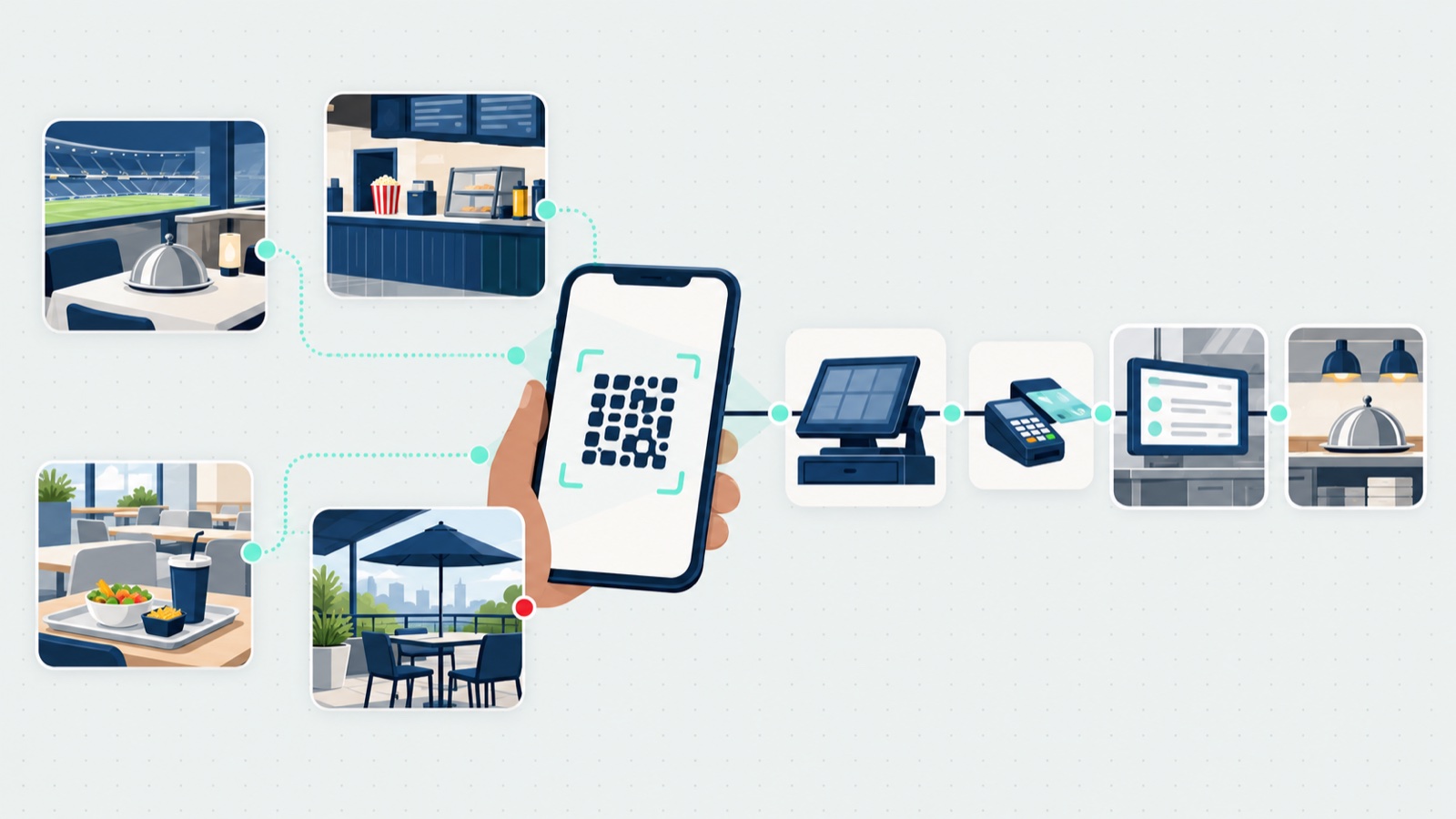
A school meal program is a volume business run on trust: thousands of families, one kitchen schedule, and a board watching both. The ordering screen is the visible tip; choose for the program underneath it. And if your venue side has the same questions about phone ordering, the companion post on QR code ordering covers where that works, where it fails, and how to roll it out.
Frequently asked questions
What is a school lunch ordering system?
A school lunch ordering system is software that lets families order school meals ahead of time and lets the operator run the program behind those orders. Parents and students pick meals from each school's menu before a cutoff, and the operator side handles rotational menus, order windows, subsidies, allergen and dietary flags, production reports for the kitchen, and reporting by school for accounting and the school board.
Who places the orders in school meal ordering software?
Parents and students do, in a parent portal, against the menus and cutoffs the operator sets up and the subsidies the operator configures. A parent saves a profile for each child with the child's name, class, grade and teacher, so one account covers all of their children. The operator's side of the software is for running the program: menus, reports, and high-volume order and operations management, not placing orders for families.
How do subsidies work in a school meal ordering system?
In Rally Schools, three operator-configured models: full subsidy by default with a parent opt-out to pay, a sliding scale that starts fully subsidized, or item-level subsidized pricing the operator configures. Every order reports as subsidized versus paid. The funder, such as a government program, sets the subsidy; the operator configures how it applies, and the subsidy report is an export. In App8's product page's own words, "App8 does not determine eligibility or manage federal reimbursement."
What should a school district that needs meal applications and eligibility use?
A district that needs meal applications, eligibility and claims handled in one system should look at the district nutrition systems that describe those on their own pages. As of 15 Oct 2026, LINQ lists application processing and eligibility along with point of service and a pre-order system, and PrimeroEdge describes itself as built for school districts and state agencies, with point of sale, eligibility, and applications and claims. Rally Schools does not determine eligibility or manage reimbursement, so it is not the tool for that job.
Can parents order school lunches for a whole term at once?
In Rally Schools, a parent can add one meal type, such as vegetarian, across every day they can order, in a couple of clicks, using the Quick add meals screen. How far ahead families can order is the operator's choice. In App8's view, when the menu is planned for a whole term, opening the whole term means a parent orders once instead of every week.
Does school lunch ordering software work in French?
Rally Schools runs in English and French, on the menus families see and on the operator's side, and App8's support also works in French. The work was done to meet Quebec's French-language requirements under Bill 96, which matters to boards and operators running programs in Quebec and to French-language schools elsewhere in Canada.
What results has a school actually seen from online meal ordering?
Sachi's, which runs the cafeteria at École Maurice Lapointe, moved lunch ordering online with Rally Schools and its case study page reports meal sales doubling since 2021, hot-meal orders up 100%, and revenue per pizza slice up 125% on the Wednesday pizza program. The page is careful to say this is a single-school result in K-12 foodservice, and the mechanism it gives is that families order ahead from a school menu, so the kitchen prepares to known demand.