
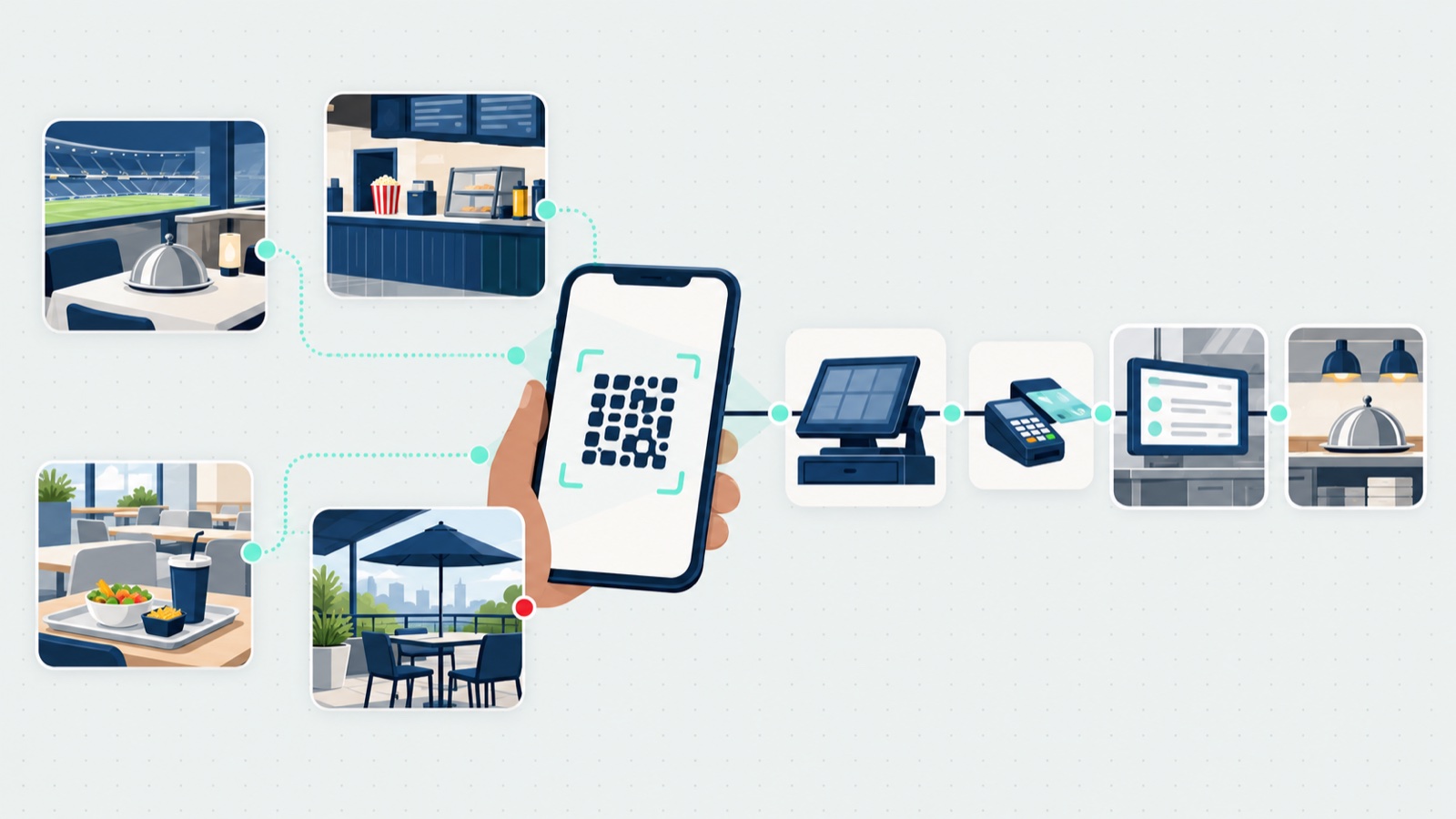
We started building what became a QR code ordering system before 2020, focused on dine-in, and it was too early: guests weren’t ready to scan a code at a table, and a card paid on a phone, like any online payment, cost the merchant more to process than a card tapped or swiped in person. Then 2020 happened, guests adopted it everywhere at once, and QR fatigue arrived right behind. That history is worth having in a post like this, because it means the honest answer to “does QR ordering work?” is: in some rooms, spectacularly; in others, it measurably hurts. This post maps which is which, with published numbers and their labels, then covers the comparison with kiosks and apps, the rollout mistakes we made and watched others make, and how it all sits with the venue’s point of sale (POS). It is written for the operator running food at a venue: a ballpark, an arena, an attraction, a zoo or a food hall.
TL;DR
- Where it works: crowds on a clock, ordering ahead, and long lines. Where it disappoints: full-service tables, unconvinced staff, and kitchens that can’t absorb the orders it brings.
- The venue numbers: Titans suites up 93% on pre-ordering, Goldeyes pre-orders up 15% with mobile ordering, Bingemans at an 87.5% transaction share. Each with its own mechanism and label.
- QR vs kiosk vs app vs counter: when each is right, and why the strongest move is one way in per channel.
- The rollout: staff first, one channel at a time, build for pickup at a stadium, and the unglamorous rules of printing a code that actually scans.
- The POS: integrated, not a swap. Three general reasons to connect, and what running standalone looks like.
Where QR ordering works, and where it disappoints
The pattern across App8’s venue launches, stated as App8’s view: phone ordering works best where crowds arrive and leave together and guests want to skip a line, and it disappoints where guests came to be served, or where the staff aren’t on board, or where the kitchen can’t keep up with the orders it brings.
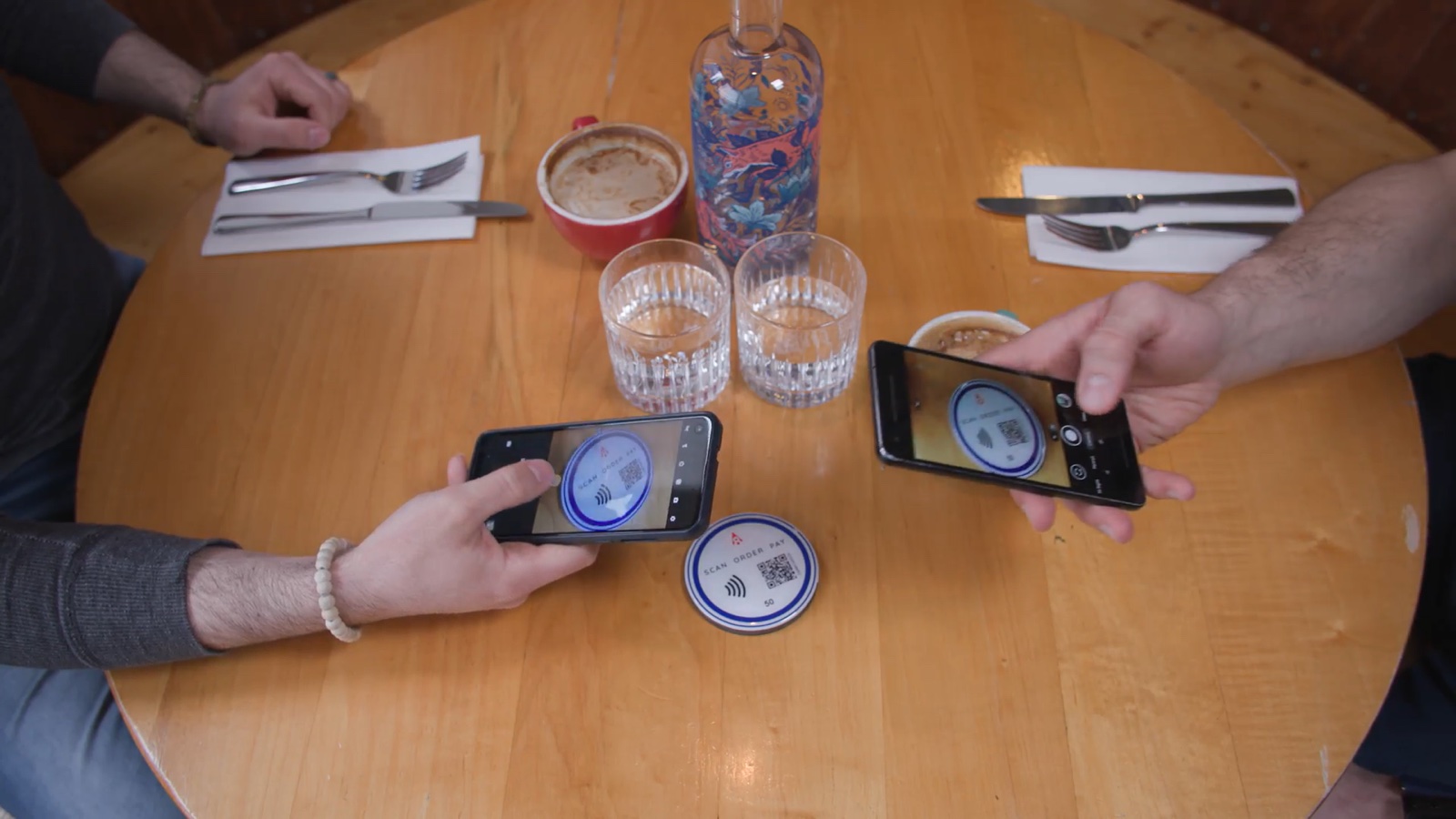
Where it works.
- Crowds on a clock. App8’s view: sports venues, where everyone wants food in the same break and nobody wants to miss the next inning, period or quarter.
- Ordering ahead. App8’s biggest published gains are in suites, where hosts order before the game; the numbers are in the next section. At the Winnipeg Goldeyes, catering pre-orders rose 15% and concession sales 5%. App8’s view: the gain is largest where ordering ahead changes how the kitchen plans.
- Long lines. Mashgin, a self-checkout kiosk company, surveyed 530+ people who had been to a Major League Baseball game, in March 2025. It found that “80% of fans abandon a concessions line when it gets too long” and “77% would spend more per game if wait times were shorter.” It is a vendor’s survey, so weigh it as one, but it matches what any concourse looks like in the seventh inning.
- A big footprint. The Goldeyes’ ballpark has 27 concession stands plus the suites, and fans order from their seats, as their case study page describes. The more stands and seats a venue has, the more a single menu serving all of them is worth.
Where it disappoints.
- A QR code in place of the paper menu at a full-service table. PYMNTS reported on 31 May 2024, from the Wall Street Journal, that restaurants were bringing back paper menus after guest complaints about QR codes, and that “One restaurant group experienced a 10% decrease in check averages when using QR code menus”, because diners didn’t scroll through the whole menu. The group isn’t named, but the direction is the point: at a table guests chose for the experience, the phone subtracts from it.
- Restaurants built on conversation. App8’s view: where guests come to relax and be served, we don’t recommend QR ordering and paying at the table. A QR code still works there for takeout or a catering menu, for example on a card with the bill.
- Staff who aren’t on board. App8’s view: where servers see the technology as a threat to their service, it fails, however good it looks on paper. This was the biggest lesson from our own launches: faster table turns and happier guests look certain on paper, but the result depends on the staff. Where servers were trained and brought in, it worked. Grounded Kitchen in Ottawa is my example of a team that works well alongside digital ordering: guests ordering and paying digitally cut the staffing its full-service operations needed by 33% at the site, one site’s result, and the team made it feel like service rather than self-checkout.
- The kitchen. Faster ordering can move the wait to the kitchen and pickup. At the University of North Florida, self-order kiosks cut ordering time, but a dining employee said they meant “many customers having to wait longer for their food” (FoodService Director, 12 Apr 2023). App8’s view: the same holds for QR. The kitchen has to be ready for the orders the code brings, or the line you removed reappears at the pickup counter.
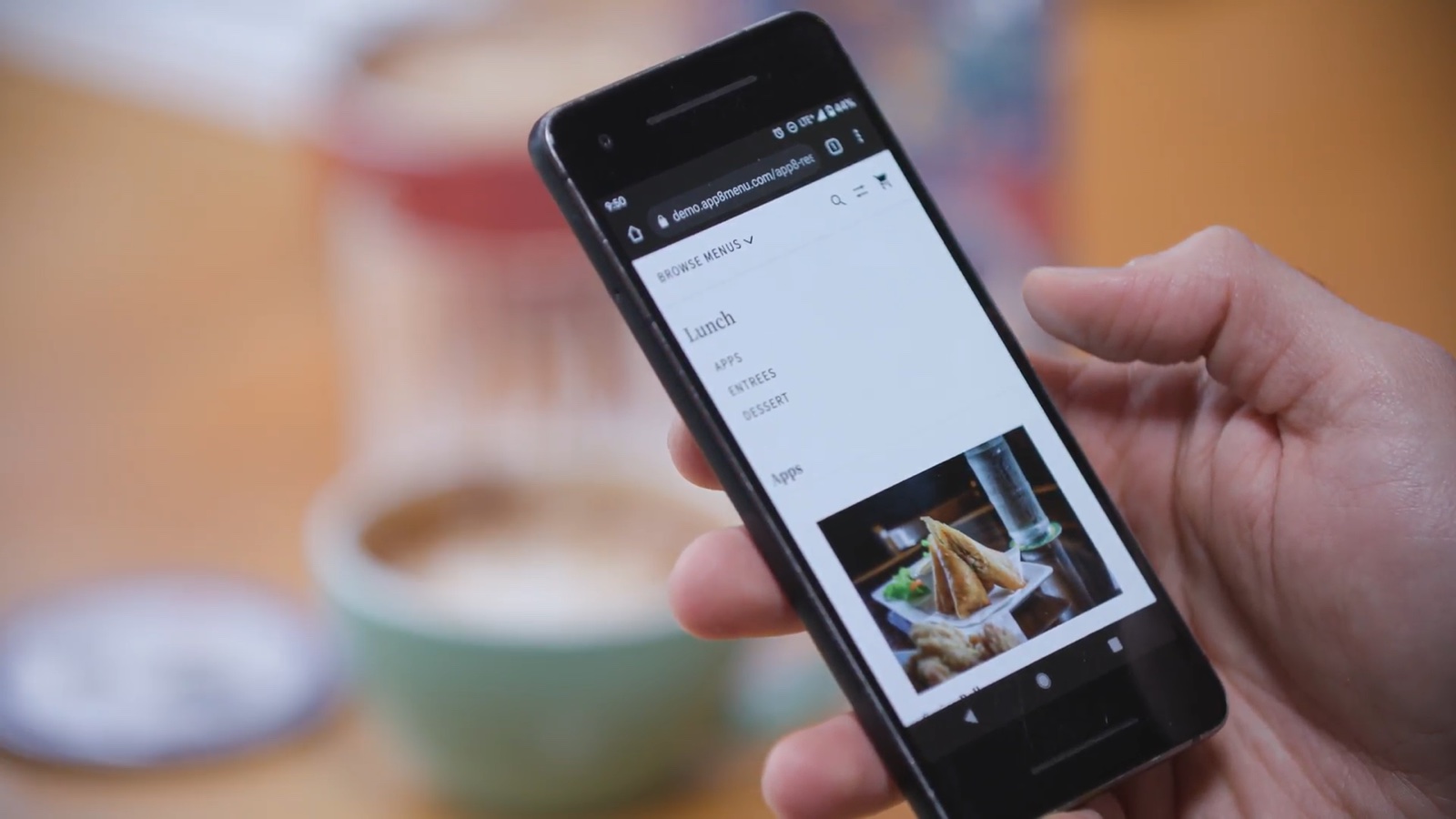
What the guest actually sees, when it is done right, is almost nothing: a code, their own browser, and a menu that loads.
The venue numbers, with their labels
Three published App8 results tell the venue story best, and each measures something different, so the labels travel with the figures. Presenting any of them as typical, or as caused by ordering alone, would be overclaiming.
| Venue | Figures, as published | What it measures | The mechanism |
|---|---|---|---|
| Ottawa Titans (ballpark) | +93% catering revenue, +85.5% catering transactions, +52% total venue revenue, 2023 to 2024 season | Suite catering, plus total venue revenue | Suite hosts pre-order from a branded menu before the game, so the kitchen sees committed orders and preps to real demand. Before, orders came by phone and email |
| Winnipeg Goldeyes (Shaw Park) | +15% catering pre-orders, +5% concession sales | Suite catering and concessions | Mobile ordering from the seats plus suite pre-ordering, with no extra staff on the floor, as the case study page says |
| Bingemans (Funworx, its attractions at Big Splash) | 87.5% of Funworx transactions and 75% of Funworx online-ordering revenue ran through App8, 2023 to 2024 season | A share of transactions and revenue, not growth | A takeout-focused, digital-first shift: guests order and pay from their phones, so staff move from the counter to filling orders |
Note what the Titans row is and isn’t: suite hosts pre-ordering before the game, not guests scanning a code at their seat. The post is stronger for showing both ways of ordering by phone, and the Titans’ later seasons stayed above the old baseline: against the 2023 season, 2024 finished 93% up, 2025 finished 73% up, and the 2026 season, to 24 September, was 153% up. Those come from App8’s order records, as percentages only, and 2026 is a partial season, so read them as seasons each above the 2023 baseline, not as a trend line. The suite economics behind those figures, and how pre-ordering grows a catering program generally, is the subject of how to increase catering sales.
The operators’ words, from the case study pages:
“The pre-order piece is huge for us in the suites. It’s guaranteed sales, and it helps us manage inventory.”
Michael D’Agostino, Food and beverage supervisor, Ottawa Titans
“By shifting to a takeout focused approach, we’ve been able to improve our operations with less labor and reduced friction which is critical when serving thousands of guests.”
Laura Umbrio, Assistant director of amusements, Bingemans
Toronto Zoo and ZooTampa are also App8 customers; there are no published figures for either, so they are named here only as customers.
QR code ordering system vs kiosk vs app vs counter
The channels compete with each other, so the comparison matters more than any one channel’s feature list. App8’s view, in one table:
| Option | When it’s right | Watch for |
|---|---|---|
| QR code | Guests in seats or suites, crowds that arrive and leave together, many stands from one menu, and venues that don’t want guests to download anything | A full-service table where guests come to relax and talk; QR fatigue; weak cell signal |
| Kiosk | A busy counter or food court. Guests tend to be drawn to a screen they can touch before their own phone, so where both exist, more of them tend to use the kiosk | Upfront and support costs; the wait can move to the kitchen and pickup, as in the University of North Florida example |
| App | Repeat guests, such as season ticket holders, who will download it once | A download step loses guests you never see. App8 dropped its own app for this reason |
| Counter | A counter that doesn’t get busy and has staff there anyway, and guests who want to talk to someone | Lines at peak times, Mashgin’s 80% abandonment figure. A counter that gets busy needs phone ordering in the plan |
Kiosks are a real and growing channel, not a straw man: Datos Insights said on 19 Feb 2026 that “more than 75,000 self-ordering kiosks were delivered to the hospitality industry worldwide” in the year to June 2025, with “global installations approaching 450,000 terminals”. That is context on kiosks generally, not a point about App8.
One way in for each channel. App8’s view: pick one way of ordering for each channel, such as dine-in, takeout and catering, and steer guests to it. McDonald’s steers guests to the kiosk; a ballpark steers them to the QR code. Offering every option at once splits guests, and the ways to order compete with each other.
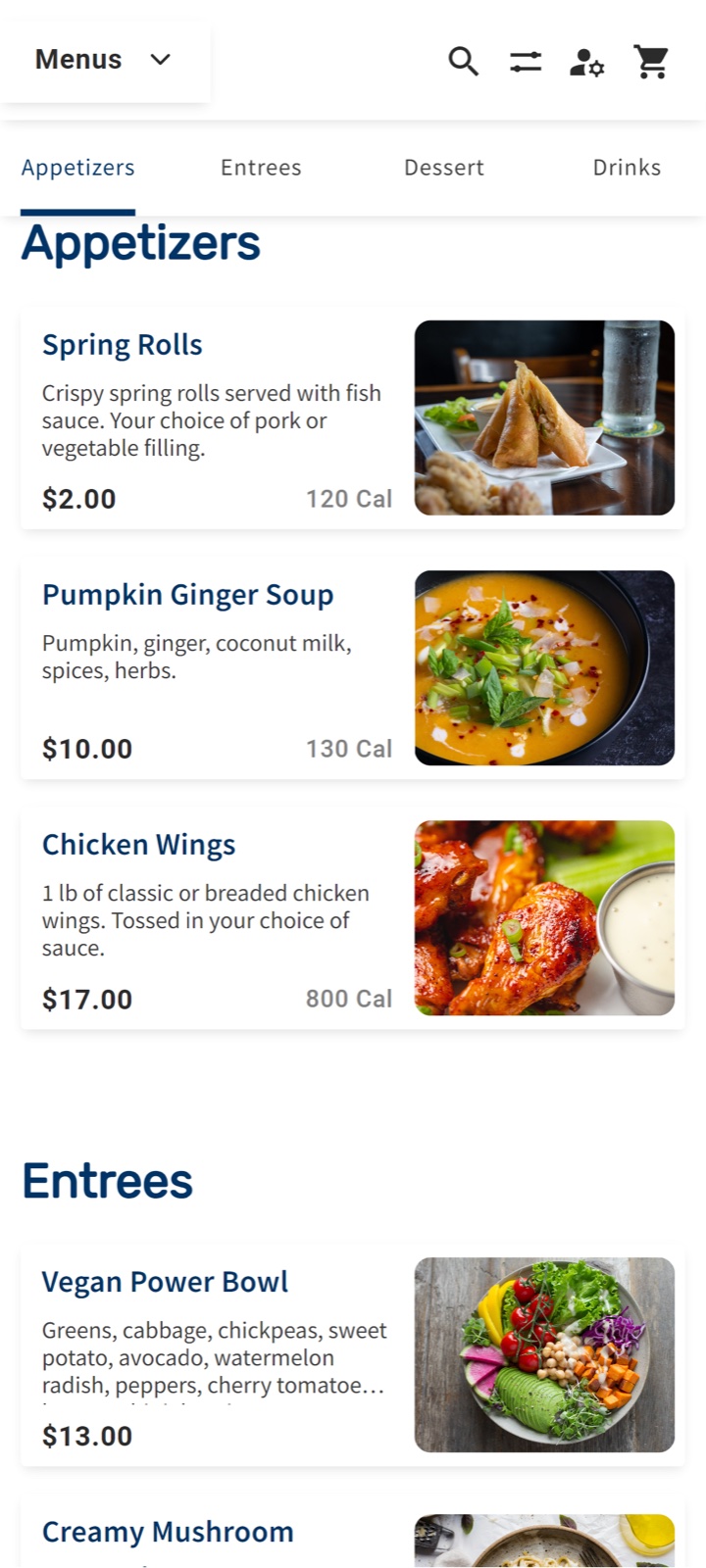
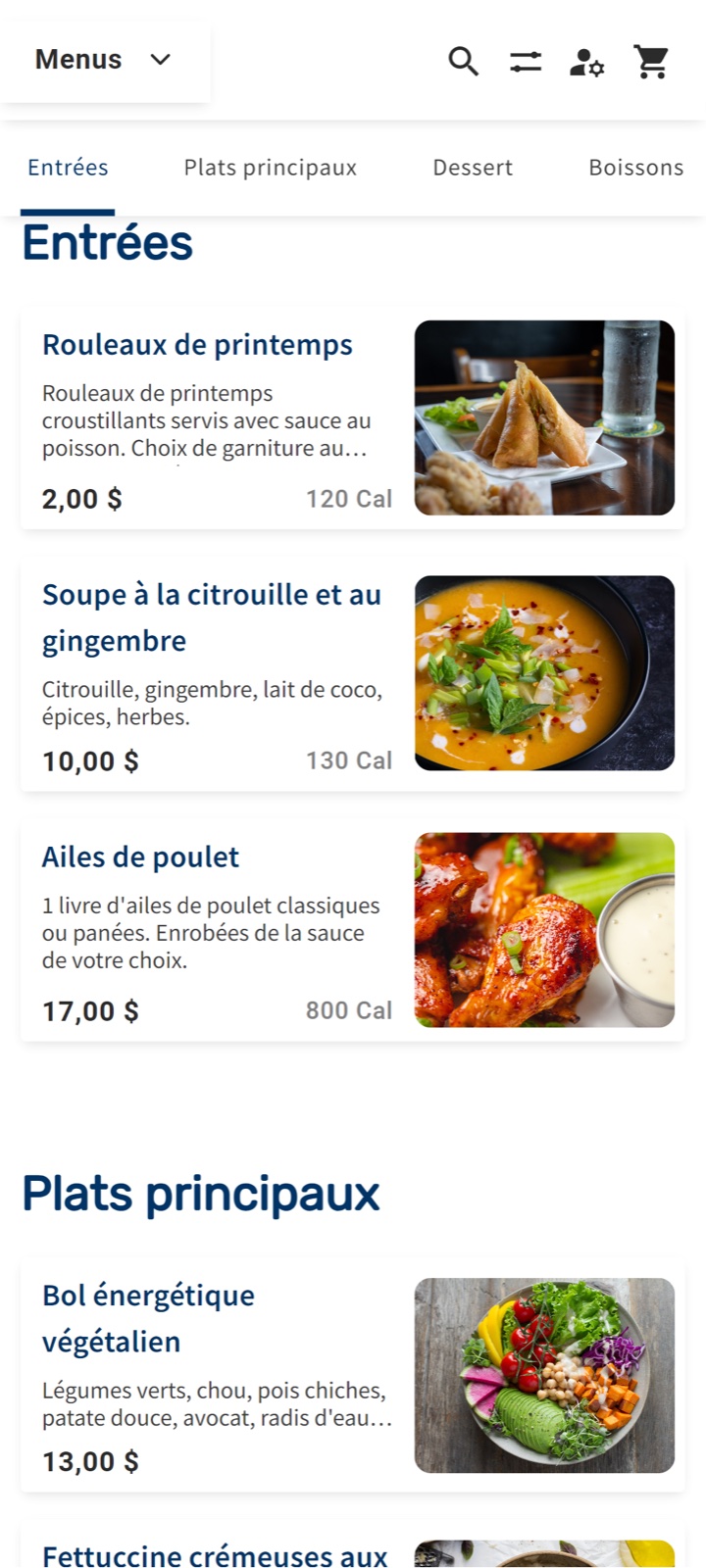
What Rally Eats covers in this picture: guest QR ordering with no app to download, paid with options including Apple Pay or Google Pay, and staff taking and managing orders on tablets, from one menu across every location, so a menu change publishes everywhere at once. Bingemans is the published example of moving guests from the counter to their phones. Rally Eats runs in English and French, which matters at Canadian venues; the menus below are the same demo menu in both.
What operators get wrong in the rollout
App8’s view, from our own venue launches: the biggest mistake is adding the technology without the people and the process. The smaller failures are practical, a code that doesn’t load, a slow menu, a code nobody sees. In rough order of damage:
- Bring the staff in first. Train them to work alongside it, and win the general manager before the rollout. People do the work, the process is how they do it, and the technology only helps if both are in place.
- Pick one way to order for each channel, so the QR code doesn’t compete with three other ways to order.
- At a stadium, build for pickup. Make room for a pickup counter and staff it to push orders out. Put the QR code on signs at the counter and in the concession line, saying guests can order now and go straight to pickup. Fans learn to scan instead of queue.
Why marketplaces look easier than running your own ordering. App8’s view: marketplaces such as Uber Eats and DoorDash handle the guest experience, run promotions and drive orders for the restaurant, which is part of why their commissions are high. Ordering the operator runs itself, QR included, leaves the people and process work with the operator. That work is the price of owning the guest, the margin and the data.
Then there is the code itself. These are rules App8 follows on its own printed codes, such as event and campaign material; they come from our marketing practice, not from a venue rollout, and they transfer directly:
- Encode the full https address. A short link can work on https and time out on plain http, so a code printed with the http form is dead on paper.
- Test the exact printed code on a phone, on cellular data, not the office wifi, before anything goes to print.
- Point the code at a tracking link, not straight at the page, so the operator can count scans.
- Put the code where the order starts. In App8’s workplace catering case study, the operator put the ordering link in email signatures, on QR codes and on building signage, so the next order was one tap away. At a venue, that means the seat, the table and the line.
The industry’s list of mistakes rhymes with ours. A QR menu company’s co-founder, writing in Restaurant Technology News on 27 Aug 2026, lists the common ones: a print PDF behind the code, too many redirects (“The target is zero redirects. One is tolerable.”), a menu that takes more than three seconds to load on cellular, and codes in rooms with weak signal. It is an opinion piece from a vendor, so cite it as one, but every item on it is a thing a guest actually hits.
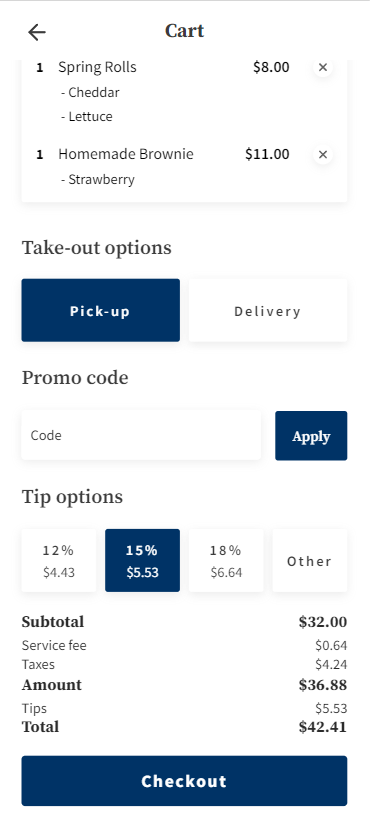
What the guest should land on after the scan is a cart that behaves like any other checkout they know.
How a QR ordering system sits with the venue’s POS and payments
The fear behind most POS questions is a rip-and-replace project, and the answer is that ordering should sit beside the point of sale, not replace it. Rally Eats is “integrated with the venue POS”, and App8’s own pages say it plainly: App8 “is not a point-of-sale system and not a POS swap” and “integrates with the systems you already run”. Orders route to the right kitchen or bar.
App8’s view: three general reasons to connect an ordering system to a POS. Reporting, so sales sit in one place. Inventory, so an item can show as unavailable when stock runs out. Routing, so drinks print at the bar and food in the kitchen, on printers the venue already has. These are reasons to integrate, not a list of what each Rally Eats integration does; each connection is scoped to what the operator needs. A multi-unit operator usually wants an ordering vendor that can integrate, which is one of the patterns that separates venue platforms from generic tools across the whole food service management software category. As proof of depth rather than a reason to buy: Clover Sport, a point of sale used in sports venues, and Catch both connect to Rally Eats today.
Without a POS link, App8’s view: Rally Eats can also run on its own, with staff managing orders on tablets and the venue reconciling from Rally Eats reports. When guests pay as they order, there are no open tabs or IOUs to chase, which is also why paying at order makes reconciling simpler than tabs or invoices.
What stays theirs. App8’s view: the venue keeps its POS. Many enterprise operators keep the card processing contract they already have; others use one of App8’s preferred payment partners. On security: App8 is certified to PCI DSS Level 1, and the payment providers App8 uses are PCI certified; the security page covers the rest.
A QR code is the cheapest piece of ordering technology a venue will ever buy and the easiest to waste. The code is paper; the system behind it, the staff beside it and the kitchen after it decide the result. If you run food at a venue, start with one channel, bring the staff in first, and measure with labels on the figures, the way the venues above did. The same discipline applies wherever ordering moves online: the K-12 version of this story is in the companion post on school lunch ordering systems, and the operations layer both sit on is mapped in what a catering management system has to do.
Frequently asked questions
What is a QR code ordering system?
A QR code ordering system lets guests scan a printed code at a seat, table or counter, open the menu on their own phone, and order and pay without an app or a line. In App8's Rally Eats, the code opens the menu in the phone's browser, guests browse and choose options with the operator's rules applied, pay with options including Apple Pay or Google Pay, and the order routes to the right kitchen or bar.
Do guests have to download an app to use QR ordering?
Not with a browser-based system. Rally Eats needs no app: the code opens the menu in the phone's browser. That matters because a download step loses guests you never see; App8 dropped its own consumer app for that reason, and an app is best reserved for repeat guests, such as season ticket holders, who will download it once.
Does QR code ordering work in full-service restaurants?
It depends on what the dining room is for. PYMNTS reported on 31 May 2024, from the Wall Street Journal, that restaurants were bringing back paper menus after guest complaints, and that one unnamed restaurant group saw a 10% decrease in check averages with QR code menus because diners didn't scroll through the whole menu. In App8's view, where guests come to relax and be served, QR ordering and paying at the table isn't the right fit, though a QR code still works there for takeout or a catering menu.
What results have venues actually seen from QR and mobile ordering?
Published App8 examples, each one venue's result with its own mechanism: the Ottawa Titans grew suite catering revenue 93% and total venue revenue 52% from the 2023 to the 2024 season, driven by suite hosts pre-ordering rather than scanning; the Winnipeg Goldeyes saw catering pre-orders rise 15% and concession sales 5% with mobile ordering from the seats; and at Bingemans' Funworx, 87.5% of transactions ran through App8 in the 2023 to 2024 season, a share of transactions rather than growth.
Should a venue choose QR ordering, kiosks or an app?
In App8's view, pick by channel and steer guests to one way in per channel. QR fits guests in seats and suites and crowds that arrive together; kiosks fit a busy counter or food court, where guests tend to be drawn to a touchable screen; an app fits repeat guests who will download it once; and a counter with staff suits guests who want to talk to someone. Offering every option at once splits guests, and the ways to order compete with each other.
Does a QR ordering system replace the venue's point of sale?
No. Rally Eats is integrated with the venue's point of sale (POS): App8 says on its own pages that it is not a point-of-sale system and not a POS swap, and that it integrates with the systems you already run. The venue keeps its POS and often the card processing contract it already has. Rally Eats can also run on its own, with staff managing orders on tablets and the venue reconciling from its reports.